

Capture data from your chatbot’s conversations
This feature allows you to ask the user a question, to which they can respond by typing their answer. The answer is stored in a variable.
1. Use
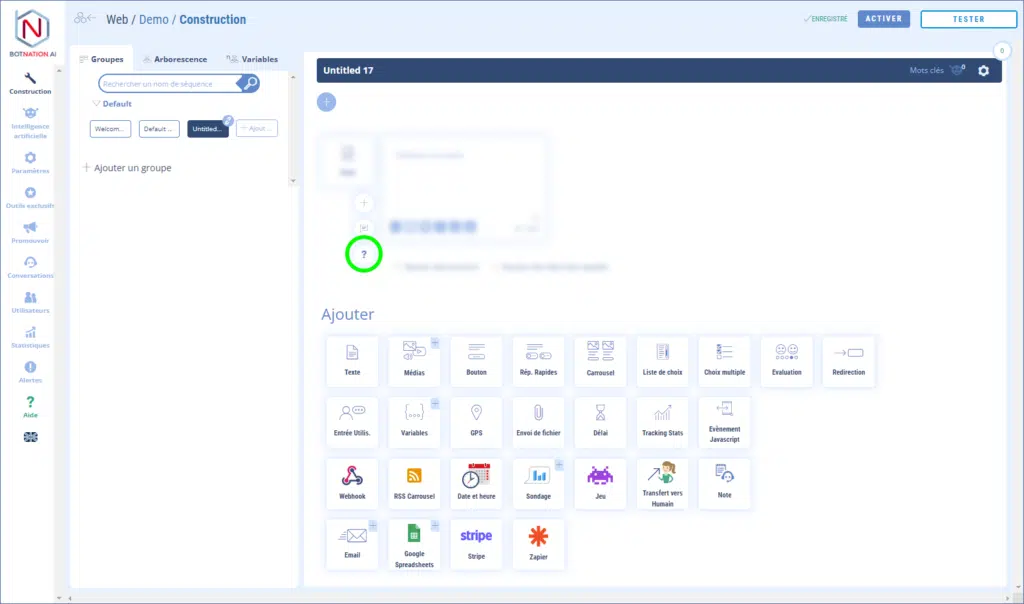
Among the construction functions, click on “User entry”.
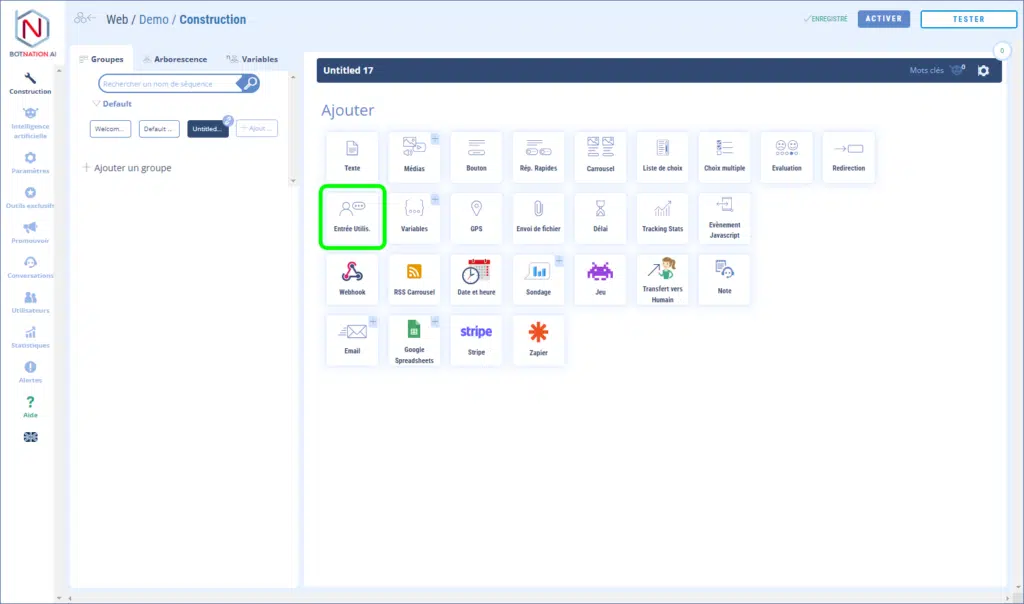
You can then configure this feature as follows:
- Enter the question you want to ask the user,
- Choose or create the variable in which the answer will be saved,
- Choose the variable type (Free text, Number detection or Email detection),
- Choose or create the sequence that will be launched once the user has responded,
- Choose or create the sequence that will be launched if the chatbot already has a value for this variable for this user,
- Add a cancel button to allow the user not to answer the question.
Quand vous choisissez le type de variable “Détection d’email” ou “Détection de nombre“, si la réponse saisie par l’utilisateur ne correspond pas au type correspondant, le chatbot considère que c’est une erreur et rejouera la séquence pour poser à nouveau la question. Voir cet article : Comment gérer la mauvaise saisie d’un email ou d’un nombre
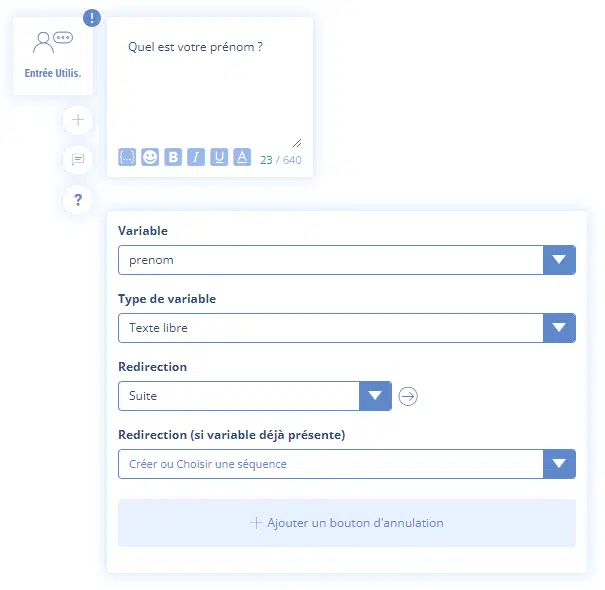
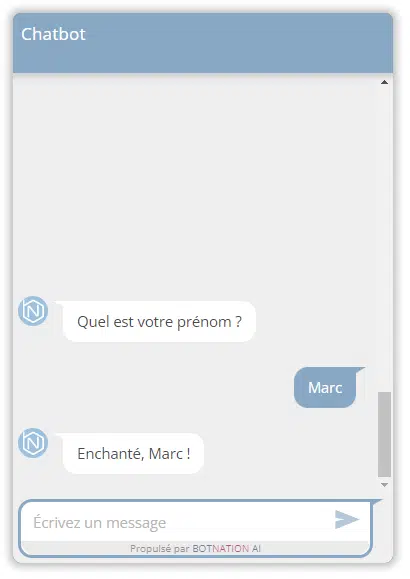
In the example above, the user is asked to enter his first name. This information will be saved in the “prenom” variable of “free text” type. Once the user has answered, he will be redirected to the “Next” sequence.
In the “Suite” sequence, we display a text in which we use the “first name” variable.
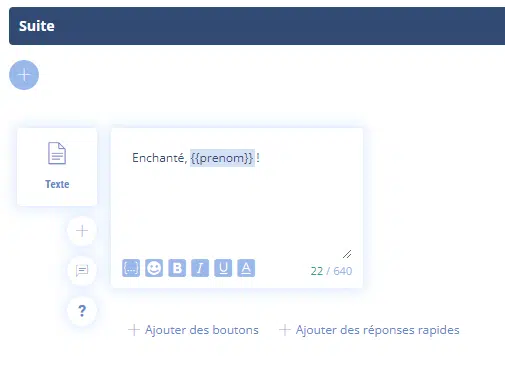
This gives in the chatbot:
ATTENTION
This feature can only be placed at the end of a sequence.
2. Options
A – En cliquant sur l’icône « + », vous pouvez mettre en rotation différentes versions de cette fonctionnalité en utilisant l’A/B Testing.
Voir l’article : A/B Testing et Machine Learning et le Webinar : Un chatbot plus performant grâce à l’AB Testing
B – Vous pouvez laissez un commentaire à vos collaborateurs à propos de cette fonctionnalité en cliquant sur l’icône (voir ci-dessous).
Voir l’article : Ajouter des Commentaires
C – Click on the “?” icon to open the online help for the item corresponding to this functionality.