




Comment obtenir des informations si j’ai des erreurs dans mon bot afin de le débugger ?
You can view alerts by clicking on the following button located in the navigation bar on the left side of your screen:
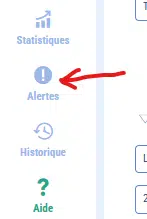
You can do this from:
- The dashboard: you will be redirected to the alerts screen for all your chatbots.
- the configuration area for a chatbot: you will be redirected to the alerts screen for the relevant chatbot
Here is an example of an alert screen:
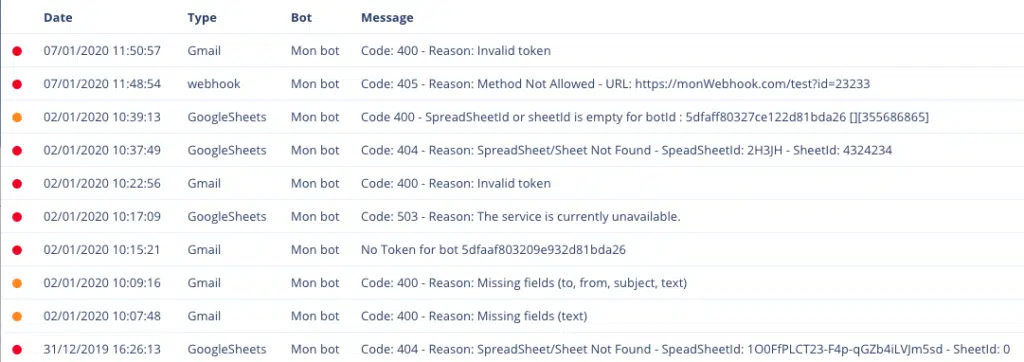
You will find:
- the time at which the error occurred
- the type of error that corresponds to the source of the problem
- le nom du Chatbot en question
- the error message that will help you understand where the problem is coming from
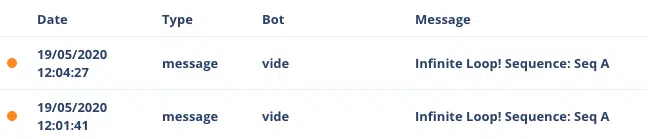
There are several types of alerts:
- webhook : l’url que vous avez renseignée dans une fonction Webhook n’a pas répondu ou a délivré une erreur. N’hésitez pas à utiliser le bouton tester de la fonction Webhook afin de vous assurer que l’url que vous avez renseignée est correcte.
- gmail : l’envoi d’email via Gmail n’a pas fonctionné (formulaire de la fonction mal renseigné, token Google invalide, service Google non disponible)
- googleSheets : l’opération GoogleSheets n’a pas fonctionné (formulaire de la fonction mal renseigné, token Google invalide, service Google non disponible)
- boucle infinie : une série de séquences boucle sur elles-mêmes
- autorisations Facebook : problèmes d’interfacage entre Botnation et Facebook
Please note that receiving an alert does not necessarily mean that the service is no longer working at all. It may be a spontaneous failure depending on the error. You will receive an alert for each failure experienced by your Chatbot.
Nous vous recommandons également de vous afficher dans des textes les variables que vous souhaitez manipuler pour voir leur état avant et après manipulation. Puis une fois votre chatbot pleinement opérationnel vous pourrez supprimer ces textes de “debug”. Cela va beaucoup vous aider.
There are numerous chatbot status variables that allow you to obtain information about the status of your webhooks, keywords that have generated interaction via AI, etc.
En plus :
– la liste complète des variables
– J’ai une erreur « Invalid Token » sur le module Gmail
– Impossible de publier sur Facebook


