How do I retrieve the username of the Facebook page I’ve contacted?
If you’ve connected your BOTNATION chatbot to several Facebook pages, you may need to know the ID of the Facebook page you’ve contacted in order to personalize messages.
This can happen if you have several establishments, each with its own Facebook page. They therefore have their own Messenger account, but you want to manage a single chatbot for all these establishments, while personalizing the chat according to the establishment contacted by the user.
The identifier of the Messenger account contacted by the user is linked to the identifier of the Facebook page. This information is available on BOTNATION in the system variable {{BN_MESSENGER_PAGE}} .
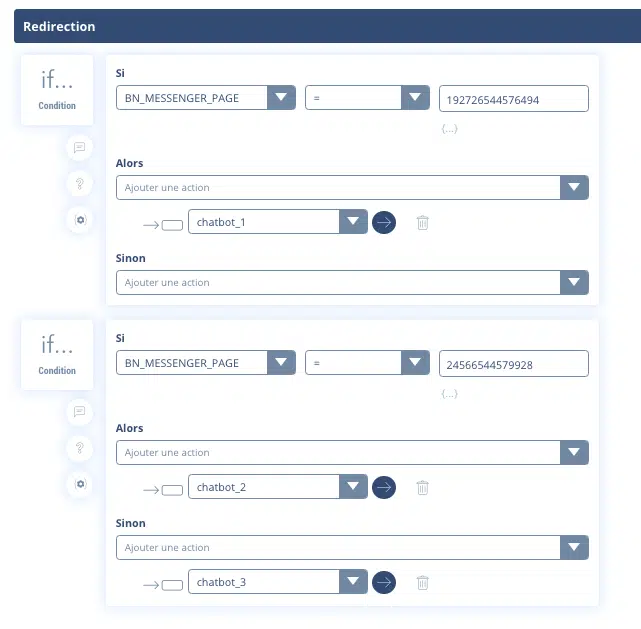
You can then perform conditions on this variable {{BN_MESSENGER_PAGE}} as shown below:
By now, you’re probably wondering how you can find out this identifier in advance, without having to run tests to display the variable.
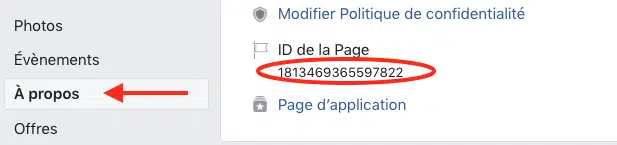
You’ll find this identifier in the “About” section, as shown in the screenshot below.