




This feature allows you to increase or decrease the value of a variable each time the sequence is run.
If the concept of a variable is totally abstract for you, I suggest you consult the following article before continuing: All about {{…}} variables.
1. Use
Among the construction functions, click on “Variables” then, in the menu that opens, click on “Increment” or “Decrement”.
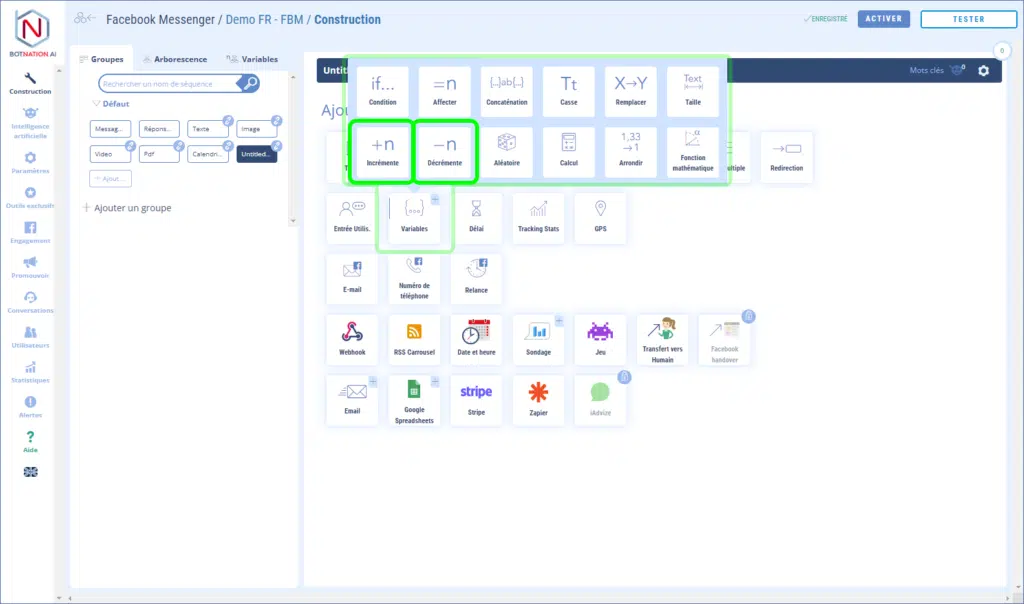
Let’s create a new sequence with Increment.
We’ll choose the variable“myVariable” and set the value in the value field to 2.
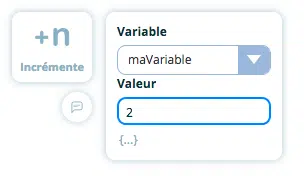
When the bot executes this function, it will add 2 to the value of the variable“myVariable“.
Let’s check the result with a Text feature:
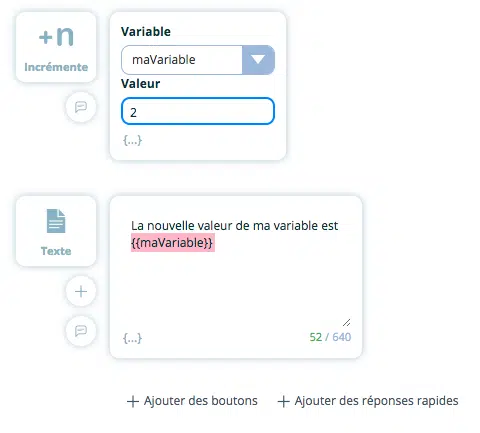
Let’s run the bot to see the result:

In this example, myVariable was initially set to 5. The value of the variable has now changed to 7 (5+2).
The logic of functionality Decrement function is identical, except that instead of adding a value, we subtract it.


