




Have your chatbot play audio files
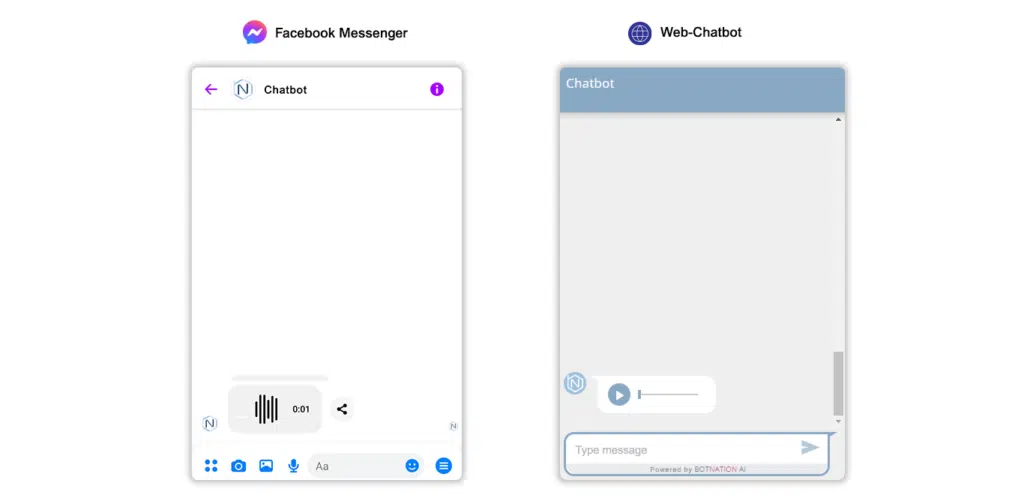
1. Use
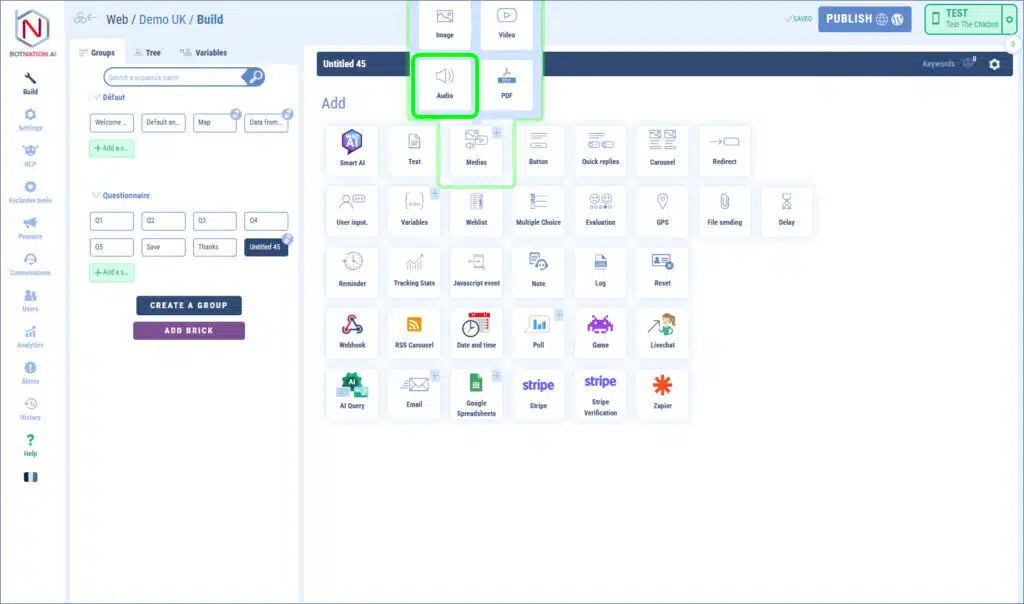
Among the construction features, click on “Media” and then, in the menu that opens, click on “Audio”.
To add a sound you have several ways:
– by dragging and dropping the file directly onto the feature,
– by clicking which will open the file explorer of your computer,
– by entering a URL corresponding to an online sound.
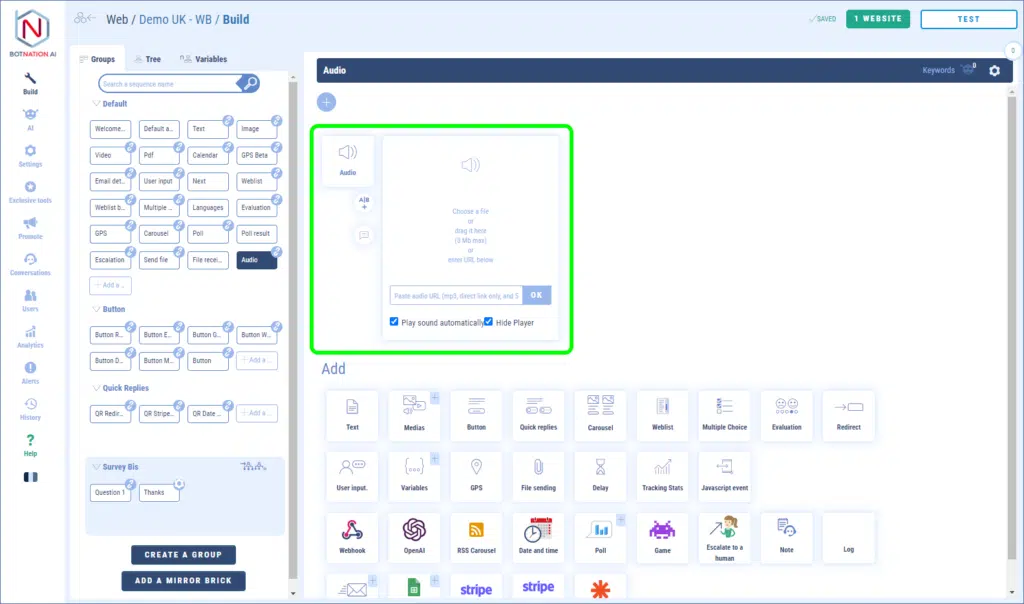
The accepted file format is MP3. The weight limit is 3MB for a file added in the interface and 25MB if it is a file added via a URL.
For web chatbots, this feature has two specific options:
– play the sound automatically,
– hide the player.


