




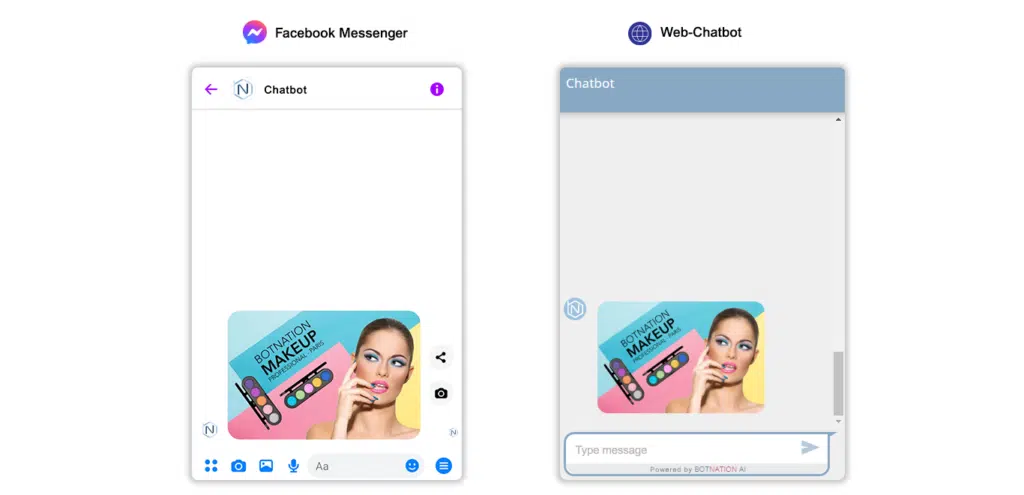
Easily add an image that will be displayed by your chatbot.
1. Use
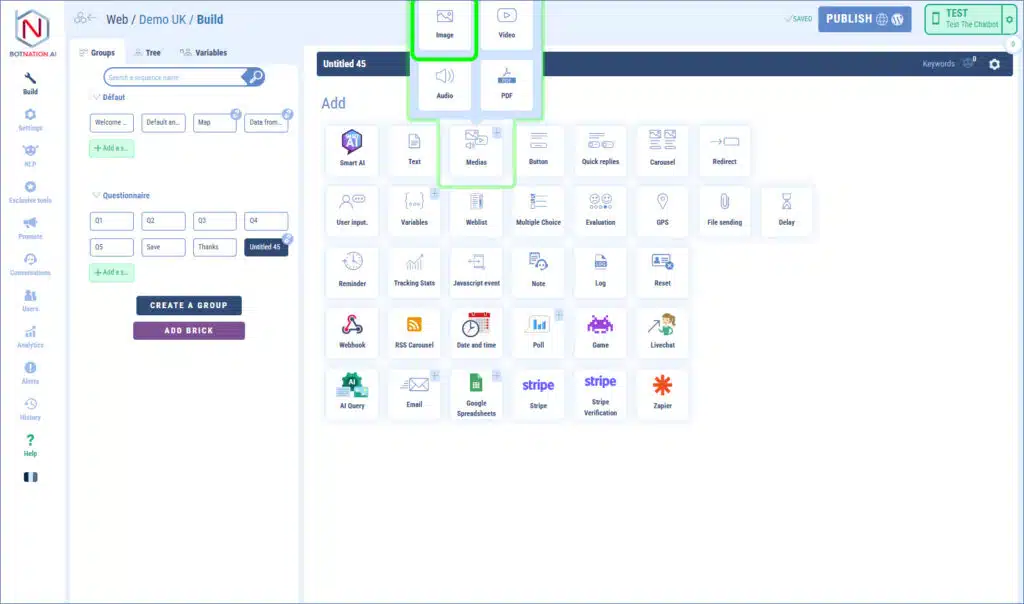
Among the construction features, click on “Media” and then, in the menu that opens, click on “Image”.
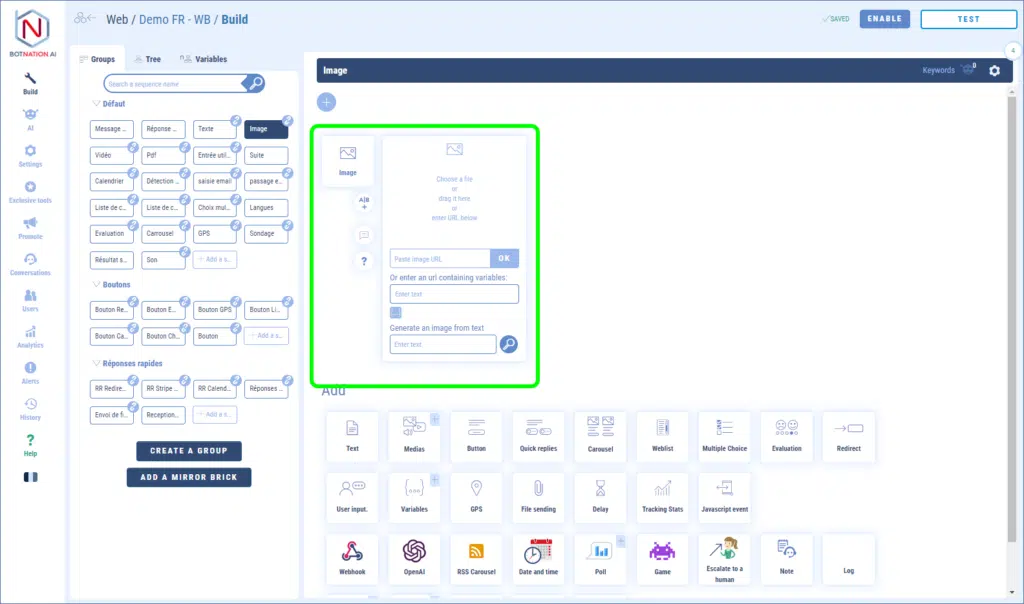
To add an image you have several ways:
– by dragging and dropping the file directly onto the feature,
– by clicking which will open the file explorer of your computer,
– by entering a URL corresponding to an online image,
– by entering a variable that corresponds to the URL of an online image.
You can also describe the image you would like to have Dall-e (the AI of Open AI) generate it automatically.
The image created will then be unique to your chatbot and free of rights.
The supported image formats are : Jpeg, Png and Gif (animated or static).
TIP
For an optimal rendering, we advise you to limit the width and height of the images to 600 pixels maximum.
