- A few minutes are enough for a website, with no complex development, according to our help pages.
- On WordPress, our plugin asks for just the site identifier, the Website ID.
- On WhatsApp, a verified Meta Business account and a dedicated number come before everything.
- Before going live, test on mobile and test the handover to a human on the site once it is online, not in the preview.
Pasting the script is not the longest part: “Installation takes just a few minutes using a simple script or iFrame, without any complex development,” our help pages say. The time is spent elsewhere, upstream, on a bot built and tested on your visitors’ questions. And for WhatsApp, business verification with Meta can take between 24 hours and several business days.
Before installing, a bot built and tested
You create the bot first, from a template, a prompt, your site’s address or your questions and answers. The channel you choose sets the conversation interface your users see, our help pages explain, but it does not change the creation features. The preview has one limit: the handover feature only works once the chatbot is online.
Nothing is paid during building and testing, and no bank card is required. Billing starts at publication, on the monthly unique users.
To weigh a website against WhatsApp and Messenger, our article on choosing a chatbot’s channel compares the options.
Each platform has its own method
The route to follow depends on where the chatbot has to live.
| Your platform | Method | What you need |
|---|---|---|
| A site that accepts a script | Script pasted just before the page’s body ends | The site address declared in the bot |
| WordPress | The Botnation plugin, then the Website ID | The plugin, listed in the WordPress directory |
| Google Tag Manager | A custom HTML tag, fired on page view | Your Google Tag Manager container |
| Shopify | The same external script | A theme allowing an external JavaScript tag |
| PrestaShop | The same external script | A theme allowing an external JavaScript tag |
| Wix | Custom code in Wix’s tracking tools | A domain connected to Wix; the free plan can block the code |
| Connecting the number through Meta | A verified Meta Business account, a dedicated number, a subscription that includes the channel | |
| Messenger | Selecting the page, then activating the bot | Being an administrator of the Facebook page |
Methods described in the Botnation help pages, read on 26 October 2026.
Our help pages also mention an iFrame route.
On your website, step by step
Placing the widget takes five steps.
-
Declare the site address
In the bot’s publication settings, add a website: a name and the site’s full address, subdomains optional. The widget only shows on that address, over http as well as https.
-
Generate the embed code
From the site’s entry, generate the embed code and copy it.
-
Paste the code at the body’s end
Place the script just before the page’s body ends, without touching it: “A single character too few or too many, including a space, will render the chatbot inactive.”
-
Check the mobile display
Open the site on a phone and on a computer. A distorted mobile display most often comes from a missing viewport tag in the page’s header.
-
Adjust the options
Display language, opening as soon as the visitor arrives, hidden launcher: these settings are made in the embed code.
On WordPress, with the plugin
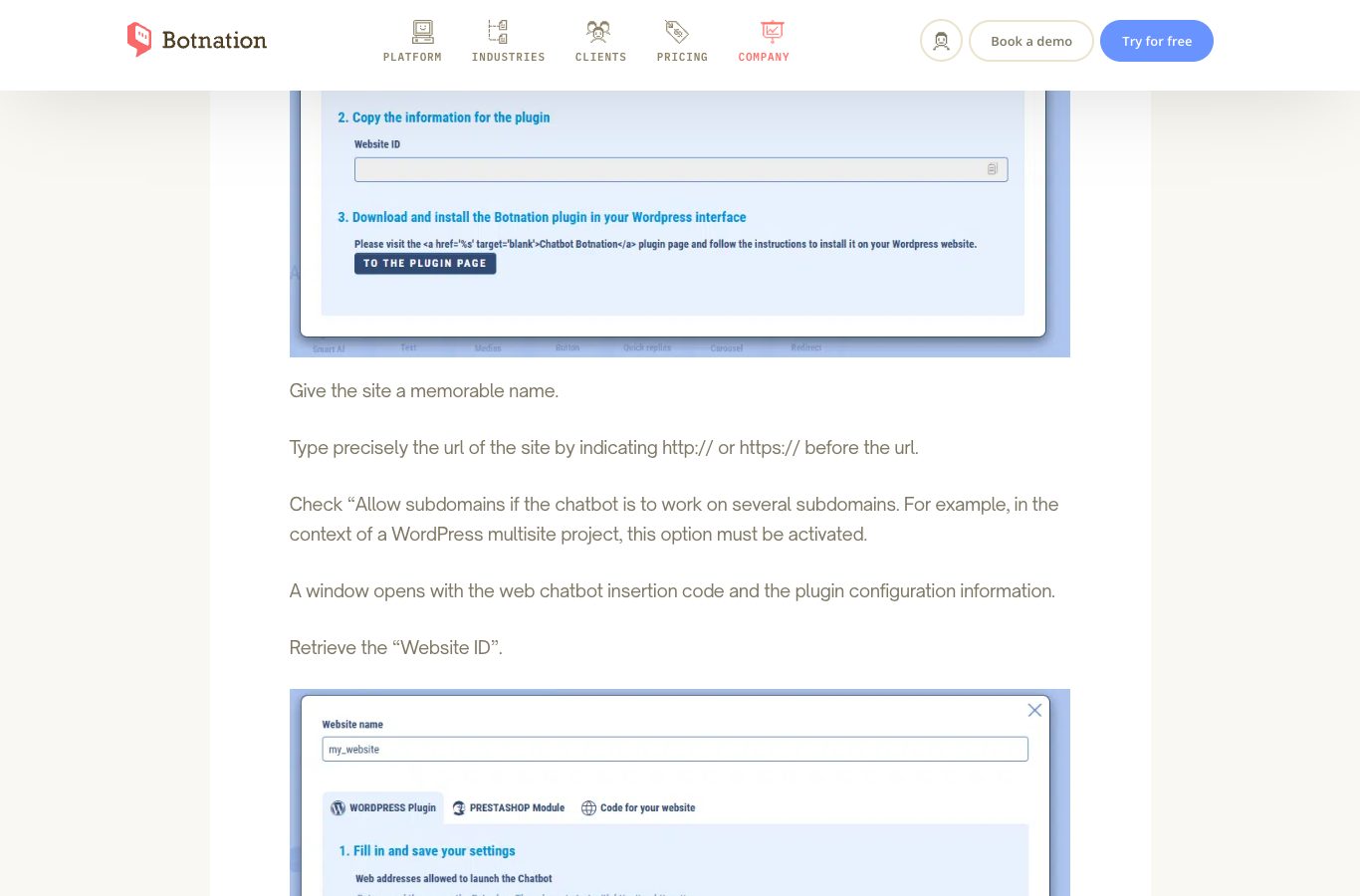
You can search for the plugin in the WordPress admin, upload it as a ZIP or install it by FTP. Activate it, then open its settings under the Chatbot Botnation entry. On the bot’s side, add your website, choose the WordPress plugin tab, copy the Website ID and paste it into the plugin. Auto Start opens the conversation as soon as the visitor arrives; Ref launches a named sequence ahead of the default one.
With Google Tag Manager
The script goes into a “Custom HTML” tag, triggered on page view: the bot then appears on every page. With a URL filter, you hold it to a single section or one language version. After publishing, count a few minutes before it shows.
WhatsApp and Messenger, the Meta requirements
Three pieces come before connecting the number: a verified Meta Business Manager account, with a company registration document to back it. Then a dedicated phone number, active on neither a personal WhatsApp nor the WhatsApp Business app. Last, a subscription that includes the WhatsApp channel. Business verification by Meta is the longest step: “The Meta verification process can take anywhere from 24 hours to several business days.”
Each bot has its number, and a number serves just one bot at a time. If yours already lives inside the WhatsApp Business app, free it first: back up the conversations, switch off two-step verification and remove the account in the app. Once 24 hours have passed without a message from the customer, only templates approved by Meta allow the conversation to resume. Our WhatsApp channel page takes over from there, with connecting your number and the rules for message templates.
Messenger asks for less: the personal account you link to Botnation has to be an administrator of the Facebook page, including a client’s page if the client names you admin. Select the page and activate the bot: from then on, it answers every message received on your Facebook page. Our article on automating Instagram direct messages shows what Meta’s other channel allows.
Six checks before going live
Placing the widget is quick; checking it is just as quick.
- The code is pasted as is, with no space or character changed.
- The address declared in the bot matches the visited site exactly.
- The display has been checked on a phone, not only on a large screen.
- The handover to a human is tested online, email notification and resumption delay included.
- On WhatsApp, the Live Chat inbox and the transfer-to-agent block are in place.
- The welcome message clearly says the visitor is talking to an automated assistant.
What the text says
Paragraph 1 of Article 50 of the European AI regulation addresses providers of AI systems: “Providers shall ensure that AI systems intended to interact directly with natural persons are designed and developed in such a way that the natural persons concerned are informed that they are interacting with an AI system […]”
The text applies across the European Union, and has since 2 August 2026; the amending regulation of 8 July 2026 left this paragraph unchanged.
The budget, from free to made to measure
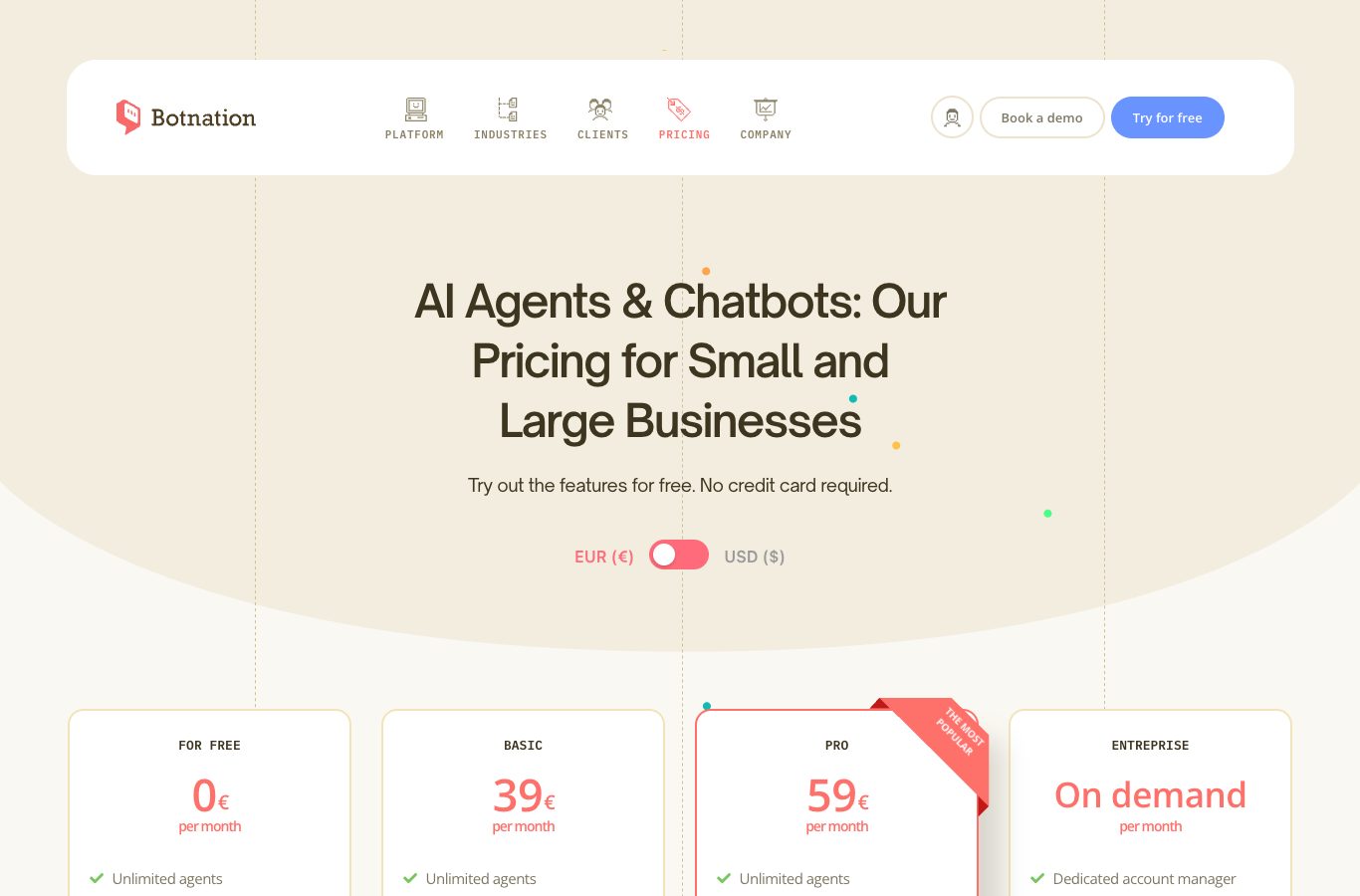
Building and testing are free, with billing following the monthly unique users. The Basic plan costs 39 € excluding VAT per month for 500 unique users. Pro moves up to 59 € for 1,000. Every user beyond the quota adds 0.05 € a month. The Entreprise plan is quoted on demand, dedicated account manager included. Prices excluding VAT, as read on 26 October 2026.
With Botnation
Build the bot for free and put it on your website, WordPress or WhatsApp.
You create the bot from a template or from your questions and answers, you test it in the preview, then you paste the script or connect a WhatsApp number.
- Unlimited chatbots on every paid plan.
- The handover to a human when the bot reaches its limits.
For a more complex integration, our chatbot creation experts build a made-to-measure bot, on quote.
Frequently asked questions
Do you need a developer to install a chatbot?
Not for a website: installation takes a few minutes, by script or iFrame, with no complex development. On Wix, by contrast, the custom code goes through the tracking tools and assumes a connected domain; our help pages point out that Botnation provides no Wix support.
The chatbot does not appear after pasting the code: where do you start?
Read the pasted code again: one character too few or too many, even a space, leaves the chatbot inactive. Check that no space slipped in around the identifiers. Then confirm that the address declared in the bot is indeed the visited site’s.
Can the chatbot show on some pages only?
Yes. With Google Tag Manager, a URL filter limits the tag to one section or one language version. With a direct paste, the widget only appears in the pages where the script sits; language and opening are set in the code.
Does this script slow my site down?
The widget loads asynchronously, without blocking the display of your pages; our pages publish no other speed measurement. For the effect of a chatbot on SEO, our article on the chatbot and SEO reviews the question.
See the website chatbot at work
The channel page presents the widget and how to set it up.
Sources
- Botnation WordPress plugin: installation and configuration, Botnation help, read on 26 October 2026.
- Installing a chatbot with Google Tag Manager, Botnation help, read on 26 October 2026.
- Requirements to activate WhatsApp Business on Botnation, Botnation help, read on 26 October 2026.
- Chatbot Botnation, WordPress plugin directory, read on 26 October 2026.
- Regulation (EU) 2024/1689 on AI, Articles 50 and 113, EUR-Lex.
- Regulation (EU) 2026/1744, amending the AI regulation, 8 July 2026, EUR-Lex.