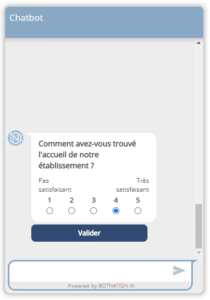
You’re a company and you want to communicate effectively with your customers. The chatbot is the tool you should opt for. Indeed, most people prefer to conduct a conversation via web chat rather than having to call service centers. That’s why over 2 billion messages are sent every month via chatbots. If you’d like to have your own Botnation robot, here’s everything you need to know to successfully develop it from the Python interface.
What is a chatbot?
A chatbot is a computer program designed to simulate a conversation with human users, particularly on the Internet. The creation of this programmed bot is perfectly in line with the principles of artificial intelligence.
Also known as a conversational agent, a chatbot is a discussion robot that imitates human conversations. Users can interact with this web tool via a chat platform: messenger, whatsapp, Twitter, etc. Interaction can also take place via Google Assistant on your cell phone.
What’s more, this programmed bot is increasingly becoming an integral part of many companies’ marketing policies. Chatbots offer many advantages, particularly in terms of communication and customer relations. Since customer satisfaction remains the top priority for any company, adopting a tool like a chatbot will be highly beneficial in this respect.
On the other hand, the chatbot can also help the company with certain simple tasks. Also, this bot can be a quick way for customers to access company-related information. For example, a customer requesting information on the company’s products or services can receive automatic responses to their query.
What’s more, this programmed bot enables the company to improve its quality of service to customers. Chatbots are also renowned for improving the user experience. Customers can therefore use the company’s services without difficulty.

How does a chatbot work?
To program a chatbot in Pyython, it’s essential to first understand how this web service works. In reality, it’s a piece of software capable of interacting and communicating with customers just like a human being. You wonder how this is possible.
That’s because the chatbot uses Natural Language Processing (NLP). This concept has two components. The first is Natural Language Understanding (NLU). This is the chatbot’s ability to understand theuser‘s language. The second is Natural Language Generation (NLG). This is the robot’s ability to produce text similar to what humans say.
In practice, when a customer asks a question, Botnation divides the sentence into two elements: intent and entity. The first designates what the user is looking for. The second gives details of the entity. It is thanks to this automatic study that the chatbot can understand the queries and provide different response proposals.
What do you need to create a chatbot in Python?
Having a project to create a chatbot can be beneficial in the long term. To develop a chatbot, you’ll need a few things. These include the NLTK Deep Learning library. Without it, you can’t proceed with chatbot creation. If this is the first you’ve heard of it, it’s a Natural Language Processing toolbox.
Several models are available. You can opt for Keras. Using the Python programming language, this library can do all the natural language processing you need.
How is a chatbot project structured?
You want to create a Messenger chatbot on your company website. You should be aware that this is a project involving a number of operations. To help you, here’s a list of the files you’ll need to assemble as you develop your chatbot. These include :
- Gui_chatbot.py
This is the file that will be used to create the user interface.
- Train_chatbot.py
This is the file in which you will create and train the deep learning model.
- Intents.json
This file stores all the data required to create the model.
- Words.pkl
This directory contains all the unique words making up the model’s vocabulary.
- Classes.pkl
This is the file that saves the names of the tags to be classified for better prediction of responses.
- Chatbot_model.h5
This is the hierarchical file in which the weights and architecture of the model formed will be stored at the end.
What are the steps involved in developing a Botnation chatbot?
Now that you’ve got an idea of the project’s structure, you’re probably wondering how you should go about programming a Botnation chatbot.
Importing data
The first thing you need to do is import the modules required to develop your chatbot onto the platform. To do this, go to the Python interface and create the Train_chatbot file. Only then can you proceed with the import.
Data pre-processing
Once this has been done, you need to perform some preliminary processing on the loaded data. Several techniques can be used. Tokenization and lemmatization are the most common. The first involves dividing sentences into words and adding them to the intent file. The second is to gather lemma words into a class.
Data programming
Now you can program the data. To do this, you’ll need to convert each pattern into numbers. Create a list of 0s of the same length as the number of all words. Finally, set the indexes containing the word in the templates to 1.
Model formation
The next step is to train the model. Start by adjusting the data using the “SGD” optimizer. Then train the epochs. Finally, save the model using the Keras model save function.
Interacting with the robot
Now that the template is ready, you’ll need to create the cat’s graphical interface. You can save it in the gui_chatbot.py file. All that’s left is to capture a user message, pre-process it and enter it into the template to see if it generates the expected responses.
Here’s how to design a chatbot in Python.