Companies already use chatbots, virtual assistants and artificial intelligence tools to answer customers faster, automate repetitive work and improve the user experience. But one term keeps coming up: the intelligent agent.
An intelligent agent does more than answer a question. It can analyze a context, choose an action, interact with an external system and pursue a specific goal. That is what makes it so useful for customer service, sales, human resources, e-commerce, IT, finance, healthcare and internal processes. Learn more.
This shift also creates confusion. Is an intelligent agent a chatbot? Is it the same thing as an AI assistant? Can it really act on its own? Do you need to code to build one? This article answers those questions with simple, concrete examples.
What is an intelligent agent?
An intelligent agent is a software program powered by artificial intelligence, designed to perceive its environment, analyze information, make decisions and carry out actions to reach a goal.
Its job is not only to produce an answer. It has to understand what is happening, identify the best option and act within a defined scope. That environment can be a website, an app, a CRM, a ticketing tool, a database, an intranet, a shared inbox or a channel like WhatsApp, Instagram or Messenger. Learn more about the channels an AI agent can run on.
An intelligent agent can, for example:
- answer a customer question automatically
- qualify a prospect before handing it to a sales team
- open a support ticket with the right information
- recommend a product based on what a user needs
- detect an anomaly in a set of data
- point an employee to an internal procedure
- trigger an action inside a business tool
- hand a conversation to a human when the request becomes sensitive
So the key difference comes down to action. An intelligent agent does not just inform. It helps move toward a result.
A simple definition of an intelligent agent
You can sum up an intelligent agent in one sentence: it is an AI that can understand a request, reason from a context and act to solve a problem.
That definition holds three important ideas.
The 3 core abilities
Understand
The agent interprets what the user is asking, even when the sentence is clumsy, short or phrased in several different ways.
Reason
It reviews the information available, compares the possible options and picks the logical next step.
Act
It produces an answer, starts a procedure, collects a piece of data, sends information, triggers a workflow or passes the request to another system.
An intelligent agent can therefore be conversational, but it is not necessarily confined to a conversation. It can also run in the background inside an information system, for example to monitor data, detect an anomaly or automate a decision.
How does an intelligent agent work?
An intelligent agent runs on a cycle with several steps. That cycle is what turns raw information into a useful action.
1. Perceiving the environment
The agent starts by taking in information. That information can come from a user message, a database, an API, a document, a sensor, a form, a conversation history or a business tool.
Example: a customer writes “I still have not received my order.” The agent perceives a message, but it can also pull other elements such as the order number, the purchase date or the delivery status.
2. Understanding the intent
The agent then works out what the user actually wants. It does not stop at the words used. It looks for the intent behind the sentence.
For example, “Where is my package?”, “I want to track my order” and “My delivery is late” can all map to the same intent: getting a delivery update.
3. Analyzing the context
Context is what lets an intelligent agent make a better decision. It can factor in the channel used, the user profile, the language, the page visited, the conversation history, the customer status or the data available in a connected tool.
Without context, the agent risks giving a generic answer. With the right context, it can personalize the exchange and skip pointless questions.
4. Reasoning and deciding
The agent weighs the options available. It can choose to answer directly, ask a follow-up question, look up a piece of information, trigger an action or hand off the request.
This step is the decisive one. It turns the intelligent agent into an operational tool, not just a chat interface.
5. Taking action
Once the decision is made, the agent acts. It can send an answer, create a ticket, update a CRM, suggest a product, send an email, book an appointment or pass the conversation to a human advisor.
The action can be simple or complex. Either way, it has to stay bounded by precise rules.
6. Learning and improving
An intelligent agent can get better over time. Reviewing conversations, errors, unrecognized requests and outcomes makes it possible to adjust its answers, its rules and its flows.
In a professional setting, that learning has to be supervised. The goal is not to let the agent improvise, but to improve it in a controlled way.
What role does generative AI play in an intelligent agent?
Generative AI has sharply accelerated how intelligent agents evolve. Large language models make it easier to understand natural language requests, rewrite answers, summarize information and hold smoother conversations.
Thanks to generative AI, an agent can:
- understand many different phrasings
- answer in natural language
- summarize a conversation before a human handoff
- look up information in a knowledge base
- adapt its tone to the context
- break a complex task down into simple steps
But a language model on its own is not always an intelligent agent. An LLM produces text. An intelligent agent uses language, context, rules, tools and actions to reach a goal.
Intelligent agent, chatbot, AI chatbot and virtual assistant: what is the difference?
These terms are close, but they do not describe exactly the same thing. The main difference lies in the level of autonomy and the ability to act.
| Concept | Definition | Main goal | Level of action |
|---|---|---|---|
| Traditional chatbot | Interface that answers using preset scripts or rules | Answer simple questions | Low |
| AI chatbot | Chatbot able to understand natural language and generate more flexible answers | Hold a more natural conversation | Medium |
| Virtual assistant | Tool that helps a user with specific tasks, often through conversation | Assist, guide, advise | Medium to high |
| Intelligent agent | System that perceives, reasons, decides and acts to reach a goal | Resolve a request or carry out a mission | High |
In short: a chatbot talks. An intelligent agent understands the need, chooses an action and helps resolve the request.
A chatbot can therefore be the visible interface of an intelligent agent. But not every chatbot is an intelligent agent. A chatbot that only answers an FAQ stays a conversational tool. An intelligent agent goes further, because it can decide what to do and interact with other systems.
Intelligent agent vs chatbot: the difference in plain terms
A chatbot is built around the conversation. An intelligent agent is built around the goal.
A chatbot answers a request. An intelligent agent tries to solve a problem.
A chatbot usually follows a script. An intelligent agent can adapt its path to the context.
A chatbot mostly lives inside a chat interface. An intelligent agent can act across several tools, such as a CRM, a ticketing tool, a database, an e-commerce site or an intranet.
A simple example: a chatbot can explain how to reset a password. An intelligent agent can identify the user, check the security rules, trigger the reset procedure, confirm the action and notify the IT team if needed.
The characteristics of an intelligent agent
You can recognize an intelligent agent by several characteristics. These are what set it apart from a simple automated tool.
Bounded autonomy
The agent can make some decisions on its own, but within a defined scope. It must not act without rules. The company sets its limits, its permissions and the cases that go to a human.
Context awareness
An intelligent agent uses the information available to adjust its answer. It can adapt its behavior to the user profile, the channel, the history or the type of request.
The ability to act
An intelligent agent has to do more than talk. It can create a request, fill in a field, send information, route a ticket, recommend a solution or trigger a workflow.
Memory
Memory lets the agent keep useful elements within a conversation or across a series of interactions. It makes the exchange smoother, because the user does not have to repeat the same information.
Continuous improvement
An intelligent agent has to be managed. Its performance improves thanks to usage data, user feedback, corrections and new information added to its knowledge base.
The different types of intelligent agents
There are several categories of intelligent agents. They differ in complexity, autonomy and ability to adapt.
Simple reflex agents
They run on simple conditional logic. If a given situation occurs, the agent carries out a preset action.
Example: if the temperature goes above a threshold, a system switches on the air conditioning. In a digital setting, if a user asks for opening hours, the agent displays the hours.
These agents work well for simple, predictable situations. They are a poorer fit for complex requests.
Model-based reflex agents
These agents rely on an internal model of their environment. They do not react to the current situation alone. They factor in past information or a broader context.
Example: a support agent can adapt its answer to a customer’s history, contract or previous requests.
Goal-based agents
These agents choose their actions based on a goal to reach. They can compare several paths and select the one that looks most efficient.
Example: a logistics agent can pick the best route based on cost, delivery time and delivery constraints.
Utility-based agents
These agents evaluate several options and pick the one that delivers the best outcome. They are not only trying to reach a goal. They are trying to optimize the quality of the result.
Example: an e-commerce agent can recommend a product based on budget, availability, customer preferences and profit margin.
Learning agents
These agents use feedback and data to improve their performance. They learn from past interactions, from mistakes and from the results they get.
In a company, this type of agent needs supervision to avoid drift, bias or non-compliant answers.
Multi-agent systems
A multi-agent system brings together several specialized agents that work as a team. Each agent can have a precise role: analyze a request, look up information, check a rule, produce an answer or trigger an action.
This approach becomes useful when processes are complex and involve several teams or several tools.
Real-world examples of intelligent agents
An intelligent agent can take very different forms depending on the industry and the need. Here are several examples.
Intelligent agent for customer service
A customer asks to track an order. The agent understands the request, retrieves the order number, checks the delivery status, gives a clear answer and offers an action if the package is late.
Result: the customer gets a fast answer and the support team avoids one more repetitive request.
Intelligent agent for sales
A visitor lands on a site and asks which product to choose. The agent asks a few questions, identifies the need, recommends an offer and can pass the prospect to a sales rep once the project is qualified.
Result: the company turns more visitors into useful leads.
Intelligent agent for e-commerce
A shopper is looking for a product that fits their budget. The agent reviews their criteria, suggests a shortlist, answers objections and can point them to the most relevant product page.
Result: the buying journey becomes simpler and better guided.
Intelligent agent for human resources
An employee asks how to book time off, get a proof of employment or find an internal procedure. The agent answers from the company’s own rules and points to the right document.
Result: HR teams get fewer repetitive questions.
Intelligent agent for IT
An employee reports an access problem. The agent qualifies the issue, suggests a first fix, collects the information needed and opens a ticket if the incident persists.
Result: IT support gets better structured tickets.
Intelligent agent for finance
An agent can monitor transactions, detect unusual behavior and flag a suspected fraud. It can also help sort requests or analyze financial data.
Result: anomalies are caught faster.
Intelligent agent for healthcare
An agent can help with patient administration, point to a resource, restate an instruction or assist with scheduling. Sensitive medical decisions must stay under human supervision.
Result: teams save time on organizational work.
Business applications of intelligent agents
Intelligent agents can work in almost every department. Their value depends on request volume, how repetitive the work is and how easily the right data can be connected.
| Department | Common need | What the intelligent agent does | Main benefit |
|---|---|---|---|
| Customer service | Repetitive questions, order tracking, simple complaints | Answers, qualifies, routes, hands off when needed | Faster answers and a lighter support load |
| Sales | Lead qualification | Asks the right questions and passes leads on | Better conversion rate |
| Marketing | Visitor engagement | Personalizes exchanges and recommends content | More useful interactions |
| E-commerce | Product guidance, order tracking, objections | Advises, reassures and points to the right products | Less friction in the purchase |
| HR | Internal questions, onboarding, procedures | Answers employees and guides them to the documents | Time saved for HR teams |
| IT | Incidents, access, passwords, tickets | Diagnoses, suggests actions and creates tickets | More efficient support |
| Finance | Controls, analysis, anomaly detection | Monitors the data and raises an alert when there is risk | Faster decisions |
What are the benefits of an intelligent agent?
An intelligent agent can improve both the user experience and internal efficiency. Its benefits show up most clearly when a company handles a lot of similar requests.
Round-the-clock availability
An intelligent agent can run 24/7. It answers even when your teams are offline. That helps with customer service, requests from other time zones, activity peaks or heavy seasonal periods.
Faster answers
A user gets an immediate answer. There is no waiting for an email or a callback. That speed improves satisfaction and cuts drop-offs in sales and support journeys.
Fewer repetitive tasks
Human teams can focus on the complex, emotional or strategic requests. The agent takes on simple questions, forms, qualification and first-level assistance.
Better productivity
By automating recurring actions, an intelligent agent cuts handling times. It can also structure the information before passing it to a human team.
A more personalized experience
Thanks to context and available data, the agent can adapt its answers. It can factor in the user profile, their history, their preferences or where they are in the journey.
The capacity to handle high volume
An intelligent agent can handle many conversations or requests at the same time. That capacity helps absorb traffic peaks without degrading service quality.
Better use of your data
Every interaction brings information: frequent questions, sales objections, sticking points, recurring problems, customer expectations. That data helps the company improve its offers, its content and its processes.
What are the risks and limits of intelligent agents?
An intelligent agent can be very useful, but it has to be designed with method. Without a clear framework, it can create errors, frustration or data risks.
The risk of incorrect answers
An agent can misread a request or rely on incomplete information. So you need reliable sources, tested answers and correction mechanisms.
The risk of over-automation
Not everything should be automated. Some requests call for empathy, negotiation, human judgment or business accountability. A good intelligent agent knows when to hand off.
The risk around personal data
An agent can process sensitive information. The company has to control what data is collected, limit access, comply with data protection rules such as the GDPR and pick a vendor that takes security seriously.
The risk of bias
If the data used is biased, the agent’s answers or decisions can be biased too. Sensitive cases have to be audited and supervised.
Integration complexity
An intelligent agent gets far more powerful once it is connected to business tools. But those connections take real preparation: clean data, clear rules, access rights and testing.
Cost and maintenance
An intelligent agent has to be kept up to date. Offers change, procedures evolve, products get discontinued, internal rules are revised. Without maintenance, quality drops.
How do you build an intelligent agent?
Building an intelligent agent should start from a concrete need. The most common mistake is trying to build an agent that does everything. You are better off starting with a clear, measurable goal.
1. Define the goal
Ask yourself what the agent has to accomplish. Answer frequent questions? Qualify prospects? Cut support tickets? Guide employees? Recommend products?
A clear goal is what lets you pick the right data, the right flows and the right metrics.
2. Identify the users
An agent built for customers is not built like an internal agent. You need to understand who is going to use it, on which channel, with what expectations and what level of knowledge.
3. List the requests to handle
Go through the frequent questions, support tickets, emails, social media messages, forms or sales exchanges. That data reveals the real needs.
4. Prepare the knowledge base
The agent has to draw on reliable content: FAQs, product sheets, documentation, procedures, commercial terms, internal guides, web pages or approved scripts.
5. Define the permitted actions
You have to decide what the agent can do. Can it create a ticket? Send a lead to the CRM? Suggest a product? Change a record? Hand off to a human? Every action needs a framework.
6. Build the flows
A good agent guides the user without making the exchange harder. Questions should be short, useful and asked at the right moment.
7. Plan the human handoff
The agent has to recognize its limits. It should hand off when a request is too complex, urgent or sensitive, or when it lacks the information to answer correctly.
8. Test before you launch
Test the phrasings, the answers, the flows and the error cases. Your business teams should take part, because they know what users actually ask.
9. Track the results
After launch, measure performance. Review the conversations, the resolution rates, the unrecognized requests and the user feedback.
Which metrics should you track?
An intelligent agent has to be managed with data. The metrics depend on the use case, but some are useful in almost every project.
- number of conversations or requests handled
- automated resolution rate
- handoff rate to a human
- user satisfaction rate
- average time saved by the teams
- number of leads generated
- conversion rate after an interaction
- number of tickets avoided
- frequent questions not yet covered
- errors or answers that need fixing
These metrics are what let you improve the agent continuously. They also keep you from judging the project on conversation volume alone. What really counts is the value created.
The metric not to forget
The automated resolution rate is useful, but it is not enough on its own. You also need to measure satisfaction, answer quality, conversions and the handoffs you avoided.
Best practices for a successful intelligent agent
An effective intelligent agent rests on a simple design, a clear scope and continuous improvement.
- Start with a precise use case: an agent that tries to cover everything quickly becomes hard to manage.
- Use reliable data: the answers are only as good as the content you feed it.
- Write plainly: the user has to understand fast, without technical jargon.
- Keep a human reachable: the agent has to hand off as soon as the situation calls for it.
- Control the actions: every automated action needs clear rules.
- Measure the results: performance is managed with concrete data.
- Update it regularly: an intelligent agent gets less reliable if the content does not keep up with the business.
How Botnation AI lets you build a conversational intelligent agent
Once you understand what an intelligent agent is, the question turns practical: how do you build one for your company without setting up a complex infrastructure?
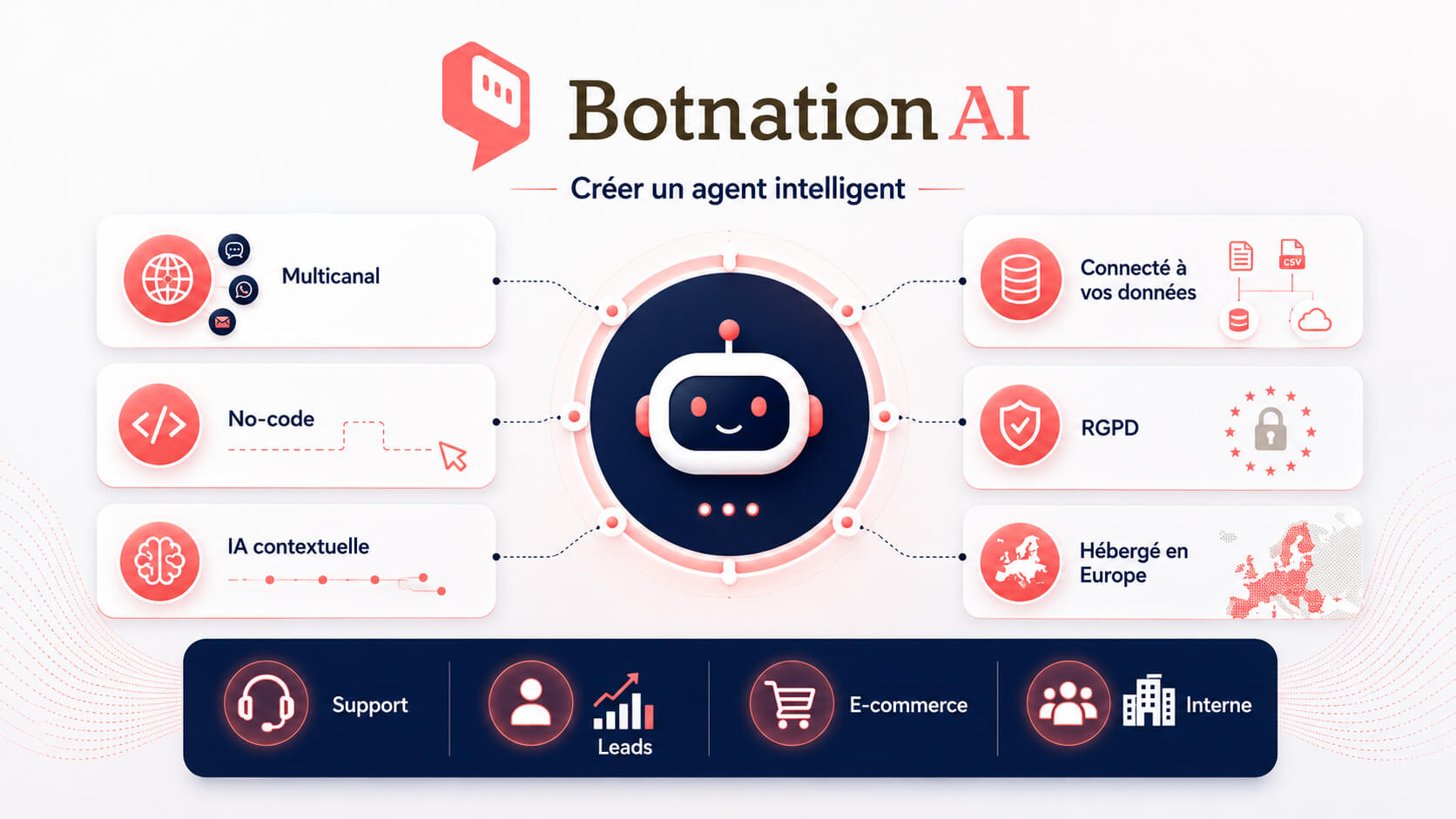
Botnation AI lets you build conversational agents and AI chatbots that talk with users across several channels. The platform is made for companies that want to automate part of their conversations, improve customer relationships, generate leads, support purchases or answer internal requests.
With Botnation AI, you can build an agent for your website, WhatsApp, Instagram, Messenger, Facebook, SMS, a customer portal or an intranet. The idea is simple: build once, then deploy the agent wherever your users already reach out to you.
The platform takes a no-code approach. You can build conversational workflows, configure your scenarios, test your journeys and deploy your agent without developing a solution from scratch. Companies that want to go further can also work with Botnation AI’s chatbot creation experts.
Botnation AI also puts the emphasis on a proprietary, context-aware AI that can draw on your own data to generate relevant answers. That approach helps you build an agent that respects your brand, your offers, your rules and your goals.
Finally, choosing a solution also means thinking about privacy. Botnation AI highlights technology developed in-house, independent from the Big Tech platforms, GDPR compliant, with data hosted under French and European jurisdiction.
Examples of intelligent agents you can build with Botnation AI
Here are a few concrete examples of conversational agents you can build with Botnation AI.
An intelligent agent for your website
It greets visitors, answers questions, points them to the right pages, qualifies prospects and triggers a contact request.
An intelligent agent for WhatsApp
It answers common requests, confirms a piece of information, follows up on a request or supports a user on a direct, familiar channel.
An intelligent agent for customer support
It handles the simple questions, collects the useful information and passes complex requests to an advisor with the right context.
An intelligent agent for e-commerce
It helps with product choice, recommends products, reassures on delivery, answers objections and can improve the buying journey.
An intelligent agent for your intranet
It helps employees find a procedure, an HR answer, a document or the right internal contact.
Should you choose a chatbot or an intelligent agent?
The right choice depends on the need.
A chatbot is enough if you want to answer simple questions, display an FAQ or guide the user through a tightly scripted path.
An intelligent agent makes more sense if you want to handle more complex requests, factor in context, connect tools, automate actions or hit a specific business goal.
In many companies, both approaches live side by side. The chatbot greets visitors and answers the simple requests. The intelligent agent takes over when you need to understand a context, trigger an action or orchestrate a process.
Making the call
Chatbot or intelligent agent?
Choose a chatbot if…
You want to inform, answer simple questions or guide the user through a tightly scripted path.
Choose an intelligent agent if…
You want to resolve, automate, connect your tools and hit a measurable business goal.
Intelligent agent FAQ
Is an intelligent agent a chatbot?
Not necessarily. An intelligent agent can use a chatbot interface, but it goes further. It can analyze the context, make a decision and act to reach a goal.
What is the difference between an intelligent agent and an AI chatbot?
An AI chatbot talks with the user in natural language. An intelligent agent can talk too, but above all it can trigger actions, interact with tools and solve more complex tasks.
Is an LLM an intelligent agent?
No, not on its own. An LLM generates text and understands language. An intelligent agent may use an LLM, but it adds a goal, context, tools, rules and actions.
Can an intelligent agent run without any human involvement?
It can automate certain actions, but it still has to be supervised. Humans define the framework, check the performance and handle the sensitive situations.
What are the best use cases to start with?
The best use cases are usually the frequent, repetitive requests: FAQs, customer support, lead qualification, order tracking, HR onboarding, IT support or product guidance.
Are intelligent agents only for large companies?
No. A small business can start with a simple agent on its website or on WhatsApp. What matters is picking a clear scope and measuring the results.
How do you avoid wrong answers?
Use reliable sources, keep the scope tight, test the flows, review the conversations and plan a human handoff whenever the agent is not confident.
Can you build an intelligent agent without coding?
Yes. A no-code platform like Botnation AI lets you build a conversational agent, design your flows, add your data and deploy the agent across several channels without heavy development.
Conclusion
The intelligent agent marks a real shift in how companies use artificial intelligence. It does not stop at answering questions. It understands a situation, analyzes a context, makes a decision and acts to reach a goal.
The gap with a traditional chatbot is therefore clear: the chatbot talks, while the intelligent agent acts. The chatbot can be the front door. The intelligent agent becomes a genuine operational assistant once it is connected to the company’s data, rules and tools.
To make it work, start with a precise use case, use reliable data, define the permitted actions, plan the human handoff and track the results. An intelligent agent is not a gimmick. It is a productivity, customer relationship and automation tool that has to be designed with method.
With Botnation AI, you can move from theory to practice by building a multichannel conversational agent, connected to your data and aligned with your goals. You can start with a simple case, such as an FAQ, lead qualification or customer support, then expand your agent step by step as your needs grow.