




Don’t have time to write a prompt? Let us guide you.
Botnation asks you 4 simple questions and automatically generates your chatbot. It’s the fastest way to get started without having to write a single line of code.
How does it work?
Neya, Botnation’s AI assistant, asks you four questions about your project. Your answers allow Neya to automatically build the structure and content of your chatbot, tailored to your industry and your needs.
GOOD TO KNOW
Creating an agent using the question-and-answer format uses an average of 5 to 30 credits, depending on the complexity of the bot generated. Your available credit balance is displayed at the top of the screen throughout the creation process.
Step 1: Choose your channel
From your Botnation dashboard, click ” Create a New Chatbot,” then select your distribution channel: Website, WhatsApp, Instagram, or Messenger.
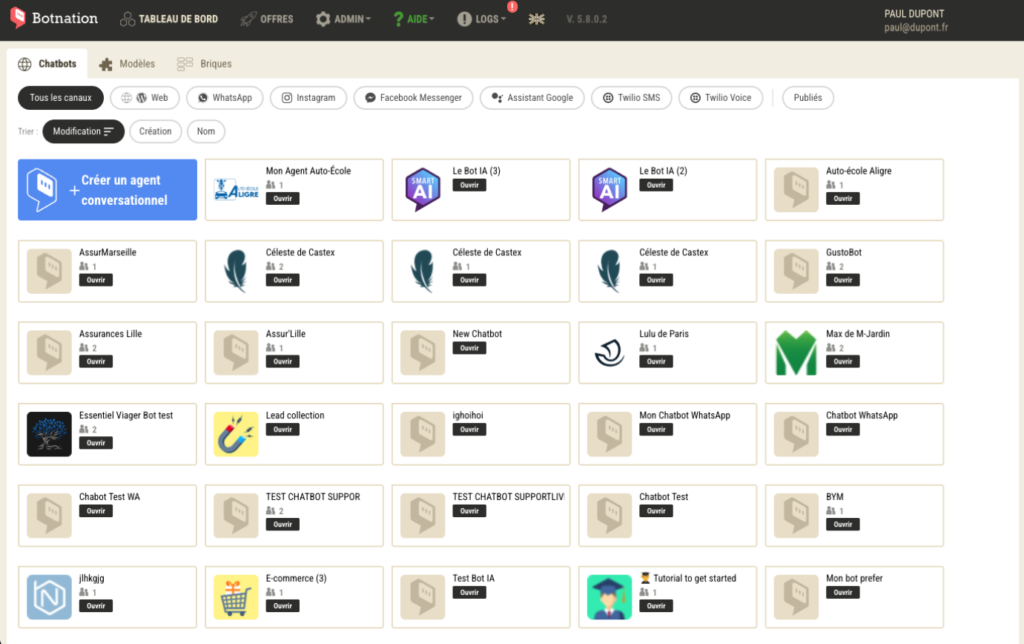
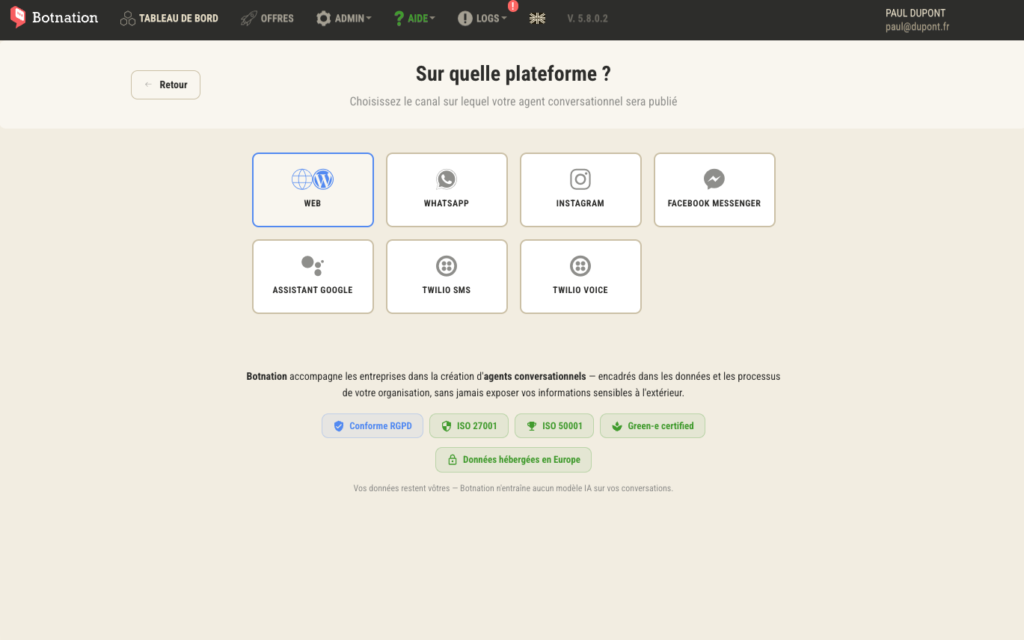
Step 2: Choose the type of conversational agent using the tree structure
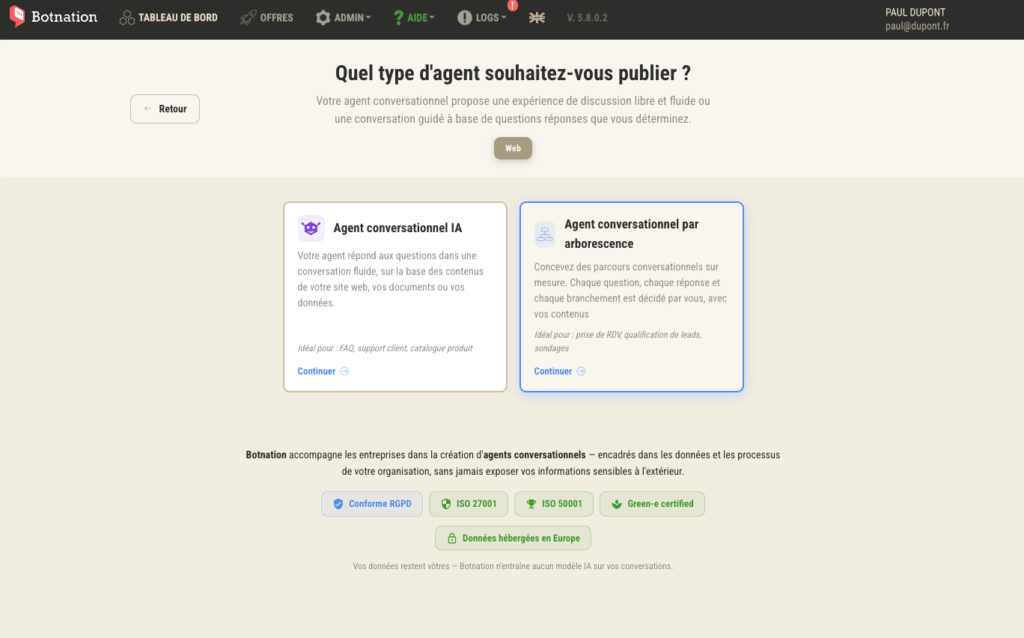
The type of chatbot to create: Tree-based conversational agent
On the next screen, select your agent type:
- AI Chatbot: Your bot responds in natural language based on your content. Ideal for FAQs, customer support, and product catalogs.
- Tree-based chatbot: You design guided flows, question by question. Ideal for scheduling appointments, qualifying leads, or conducting surveys.
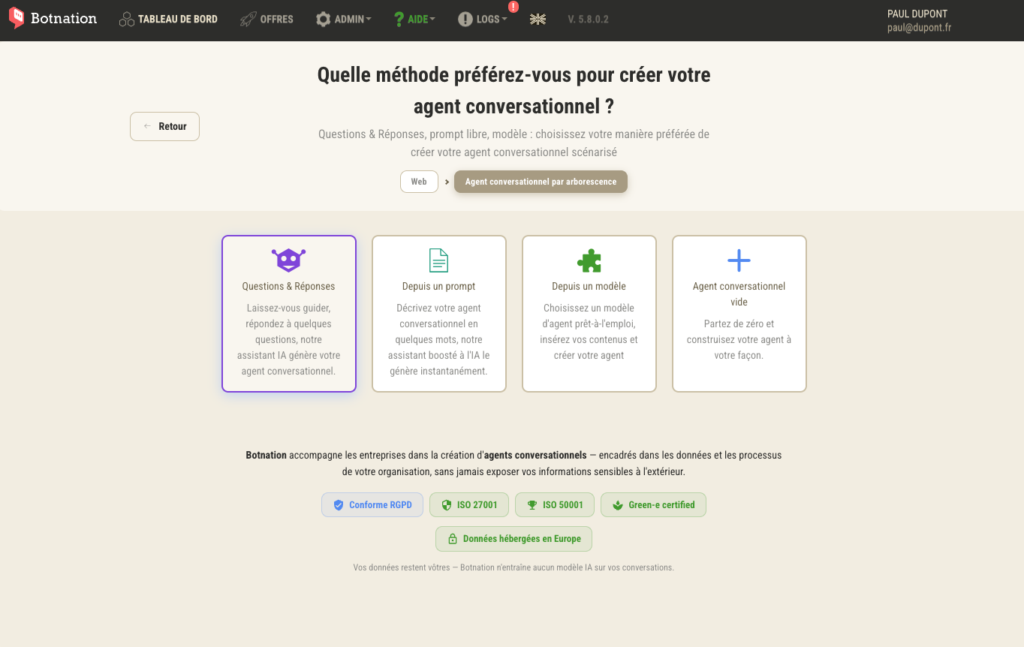
Select ” Conversational Agent” from the tree view, then on the next screen, choose ” Questions & Answers.”
Step 3: Select the Q&A method
Then select the Q&A method
Step 4: Answer Neya’s 4 questions
You are now in the wizard interface.
Neya asks you her questions one after another, in the form of a conversation.
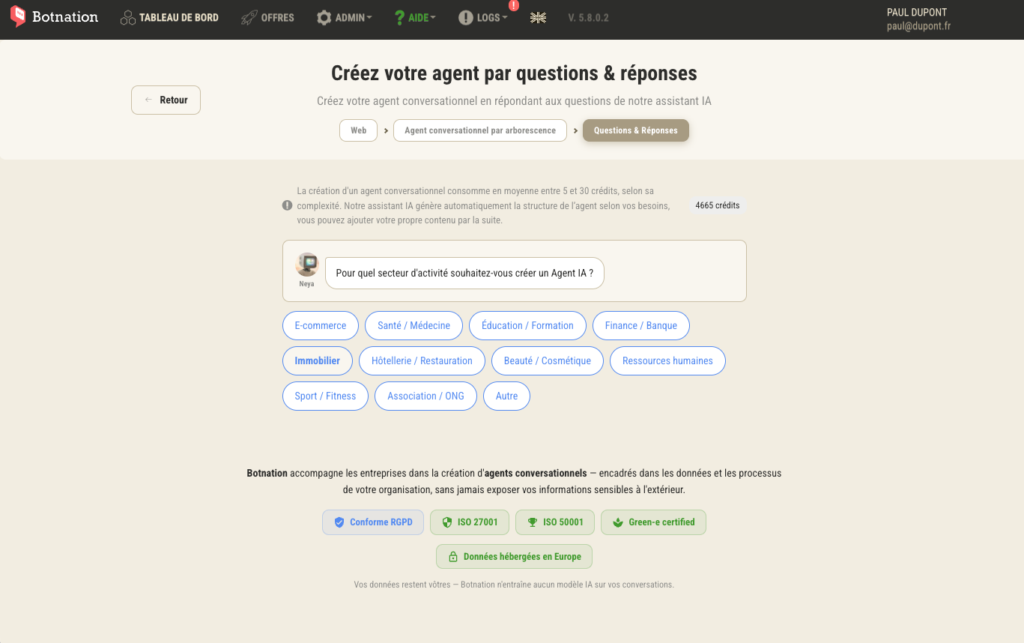
Question 1: Your industry
Neya asks: “For which industry would you like to create an AI Agent?”
Select your industry from the options below: E-commerce, Health/Medicine, Education/Training, Finance/Banking, Real Estate, Hospitality/Restaurants, Beauty/Cosmetics, Human Resources, Sports/Fitness, Nonprofit/NGO — or select “Other” to enter your industry freely.
TIP
: Choose the category that most closely matches your business, even if the exact wording doesn’t match yours. You can refine the generated content after creation.
Question 2: Your Use Cases
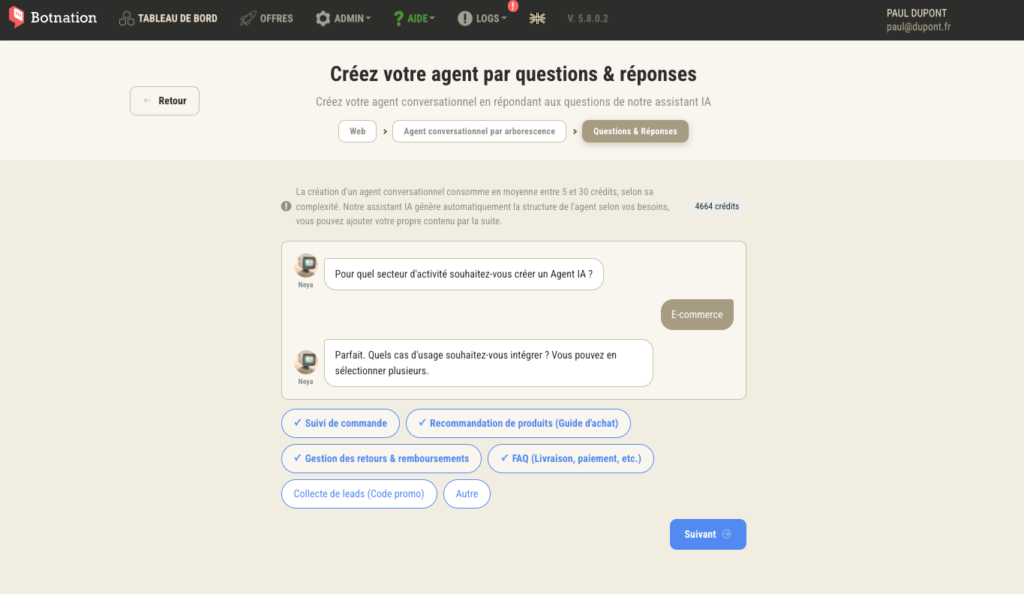
Once you’ve selected your industry, Neya continues: “What use cases would you like to include in your chatbot? (Multiple choices available)”
Select one or more use cases from the options displayed. For an e-commerce bot, for example: Order Tracking, Product Recommendations, FAQs & Customer Service, Returns Management.
GOOD TO KNOW
You can select multiple use cases at the same time. Botnation will integrate them all into your agent’s structure.
Question 3: Your bot’s tone
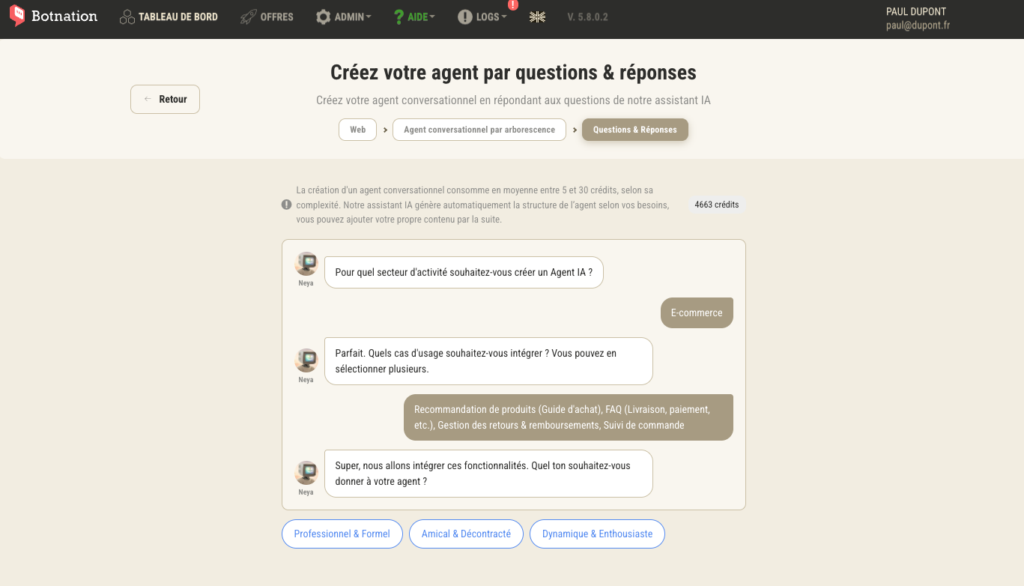
Neya then asks you, “What tone would you like your chatbot to use with your customers?”
There are three options available:
- Professional and Institutional — for sectors that require rigor and formality
- Warm and friendly — for an approachable and caring customer experience
- Dynamic and laid-back — for brands looking for a youthful and engaging tone
Question 4: Transfer to a live agent
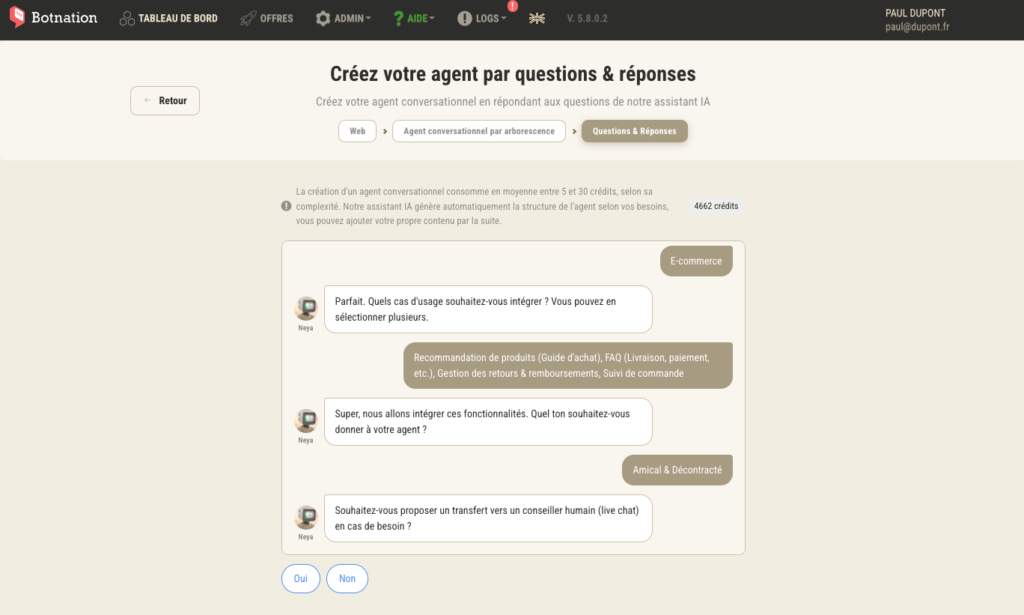
Last question: “Would you like to include the option to transfer the conversation to a live chat agent if needed?”
Answer “Yes ” or “No ” depending on your organization. If you enable this option, your bot will automatically suggest transferring the conversation to a human agent in situations it cannot handle on its own.
Step 3: Verify or adjust the result
Neya summarizes your responses and provides you with a comprehensive overview of the agent it will create: sector, use case, planned features, tone, and Live Chat option.
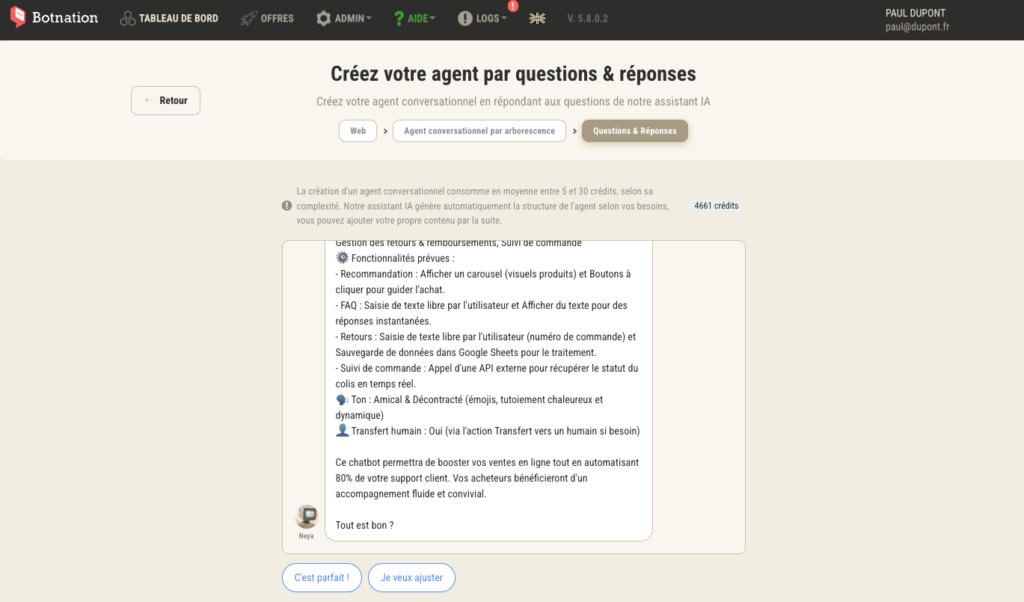
You have two options:
- That’s perfect! : Botnation creates your agent immediately
- I want to edit: You can specify the content of one or more responses, and you can add your brand or website for further customization.
TIP
: Read the summary carefully before confirming. It provides a detailed breakdown of the features that will be created for each use case—buttons, API calls, file uploads, and integrations. This is a good time to verify that everything meets your expectations.
Step 4: Your agent is generated
Once validated, Botnation automatically generates the complete structure of your agent. You’ll be taken to the editor with a chatbot that’s already set up, which you can customize, enhance, and test before launching it.
GOOD TO KNOW
The generated chatbot is a solid starting point, not a final version. You can edit each block, add steps, adjust messages, and connect your business tools using the Botnation editor.
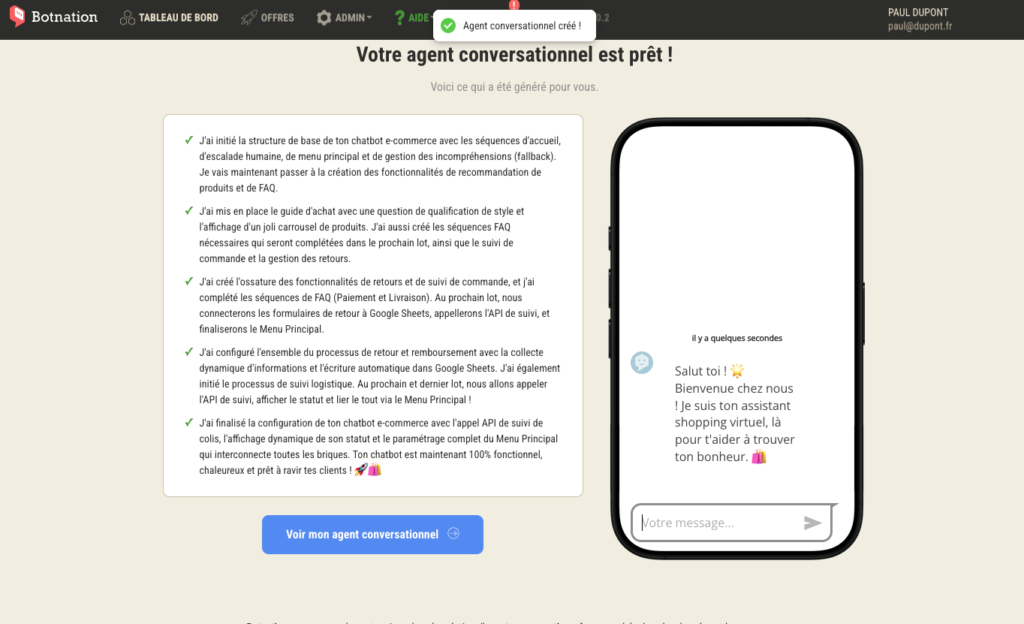
Summary
- ✅ Selected channel and agent type
- ✅ Selected Industry
- ✅ Selected Use Cases
- ✅ Defined tone
- ✅ Live Chat option configured
- ✅ Summary validated and agent generated


