




The information if I have errors in my bot in order to debug it?
You can view alerts by clicking on the following button located in the navigation bar on the left side of your screen:
You can do this from:
- The dashboard: you will be redirected to the alerts screen for all your chatbots.
- the configuration area for a chatbot: you will be redirected to the alerts screen for the relevant chatbot
Here is an example of an alert screen:
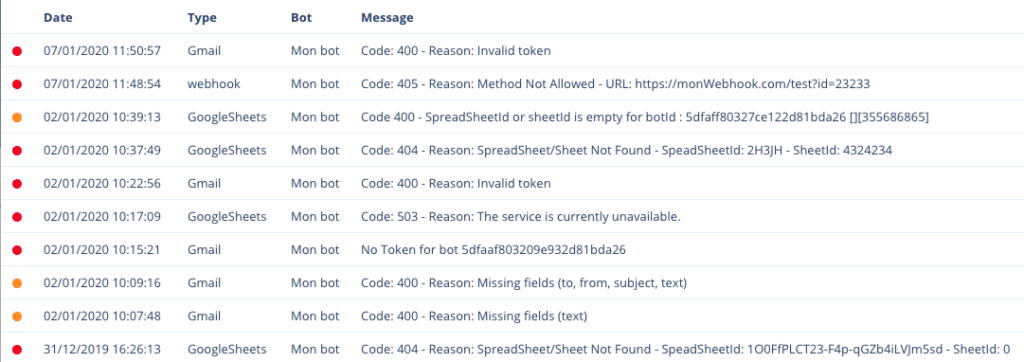
You will find:
- the time at which the error occurred
- the type of error that corresponds to the source of the problem
- le nom du Chatbot en question
- the error message that will help you understand where the problem is coming from
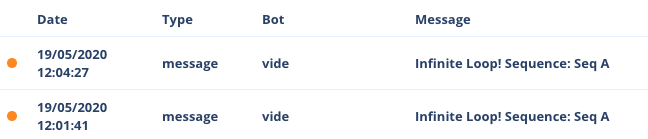
There are several types of alerts:
- webhook: the URL you entered in a Webhook function did not respond or returned an error. Please feel free to use the test button for the Webhook function to ensure that the URL you have entered is correct.
- gmail: sending emails via Gmail did not work (form not filled in correctly, invalid Google token, Google service unavailable)
- googleSheets: the GoogleSheets operation did not work (form function incorrectly filled in, invalid Google token, Google service unavailable)
- infinite loop: a series of sequences looping back on themselves
- Facebook authorisations: interface issues between Botnation and Facebook
Please note that receiving an alert does not necessarily mean that the service is no longer working at all. It may be a spontaneous failure depending on the error. You will receive an alert for each failure experienced by your Chatbot.
We also recommend that you display the variables you wish to manipulate in text form so that you can see their status before and after manipulation. Then, once your chatbot is fully operational, you can delete these ‘debug’ texts. This will be of great assistance to you.
There are numerous chatbot status variables that allow you to obtain information about the status of your webhooks, keywords that have generated interaction via AI, etc.
En plus :
– the complete list of variables
– I am getting an “Invalid Token” error on the Gmail module
– Unable to publish to


