In brief
Designing a chatbot means everything you decide before the first technical brick: the mission, the audience, the channel, the AI level, the conversation paths, the tone and the guardrails. Here is our complete 7-step method, from framing to the test set, with the full specification, an interactive framing selector and the obligations to build into the design from day one (AI Act Article 50 in force since August 2, 2026, GDPR).
“Designing a chatbot” and “building a chatbot” are two different jobs, and the second almost always fails when the first was rushed. Design is when you decide what your conversational assistant must achieve, for whom, on which channel, with what level of intelligence and under which limits. It is a job of framing, writing and arithmetic on your real demand, not a job of code.
The topic has never been more current: according to Insee, the French national statistics institute (TIC 2025 survey, Insee Première no. 2120, July 2026, published in French only), 18% of French companies with 10 or more employees used at least one artificial intelligence technology in 2025, up from 10% in 2024, and 43% of AI-using companies report using generative AI for text or speech. The chatbot is the most visible gateway to this adoption, and it is also the one where design mistakes show the most.
This guide is the complete method: the framing decisions, the three technical levels, the 7 design steps, a worked example from start to finish, a tool to decide your own framing, and the specification section by section. If you are looking for how to technically build the bot once it is designed, our how to develop a chatbot guide takes over where this one stops.
Designing a chatbot: what this stage actually covers
Definition
Chatbot design is the set of decisions that define what the assistant must do, for whom, with which knowledge and under which limits, before its technical implementation. It produces a specification and conversation paths; implementation produces a bot that runs. If you hesitate over the vocabulary (conversational agent, chatbot, AI assistant), our article on the definition of a chatbot sets the terms, and the guide on designing a conversational agent covers the assistant side of the intent.
Concretely, design covers four families of decisions:
- the functional scope: which requests the bot handles, and above all which ones it does not;
- the conversational experience: the paths, the tone, the personality, the escalation formulas toward a human;
- the knowledge: where the answers come from (hand-written rules, your own content, free generation);
- the guardrails: transparency about the bot’s nature, personal data, forbidden topics, drift indicators.
The international standard ISO 9241-210:2019 (“Ergonomics of human-system interaction, Part 210: Human-centred design for interactive systems”, 2nd edition) sums up the spirit of the exercise: an interactive system is designed from an explicit understanding of the users, their tasks and their context, not from the capabilities of the technology. Applied to chatbots, this principle cuts short the market’s number one mistake: starting from “we want a bot with AI” and ending up with an assistant that impresses in the demo and solves nothing in production.
The 4 decisions that frame every chatbot design
Before drawing a single conversation path, four decisions commit everything else. Each one is made with a reference number, otherwise it will be made again later, at a higher cost.
1. The mission
One sentence, one verb, one beneficiary: “take order-tracking questions off the support team’s plate for consumer customers”. If the mission needs three verbs, plan three bots or three phases, never a three-headed bot.
2. The audience
Consumers or business customers? Internal employees? Cold prospects? Vocabulary, channel and patience level all change completely: an employee accepts a button menu, a customer in a hurry does not.
3. The channel
Website, WhatsApp, Messenger, Instagram, intranet: each channel imposes its formats (cards, persistent buttons, message lengths) and its responsiveness expectations. Our overview of deployment channels details the specifics.
4. The AI level
Written rules, generative AI grounded in your content, or free generation? This choice determines what you will have to design: a conversation tree, a knowledge base, or a prompt charter. The table below compares the three.
A useful landmark for decision no. 1: Botnation’s FAQ product page describes the most frequent use case (making an FAQ conversational), which remains the best first chatbot project: bounded scope, content already written, fast ROI.
Three technical levels, three different designs
The technical level is not an implementation detail: it changes what you design. Here is what each level requires at design time.
| Level | How it answers | What you design upfront | Ideal ground |
|---|---|---|---|
| Rule-based (scripted) chatbot | Fixed tree: buttons, menus, exact keywords | The complete conversation tree, every button label, the escalation formulas | Stable FAQ, guided journeys (order tracking, appointment booking) |
| Generative AI on your content (RAG-style) | Drafts its answers from your sources only | The source inventory, its freshness, the answer guardrails, the imposed tone | Rich documentation base: product docs, internal procedures, articles |
| Open generation | Improvises beyond your content | The system prompt, the personality, the list of forbidden topics, supervision | Experimentation bots, low-stakes topics |
In customer production, level 2 is where serious projects concentrate today: it combines the AI’s freedom of phrasing with grounding in your content. Our RAG chatbot article details how this architecture works, what it really costs and where it breaks. Level 3, for its part, must be designed with all the more guardrails as it can assert false statements with confidence: it is an experimentation choice, not a default choice.
Watch out
Whatever the level, plan the clear disclosure of the automated nature of the interlocutor from the design stage onward. Article 50 of Regulation (EU) 2024/1689 on artificial intelligence, applicable since August 2, 2026, requires providers and deployers to inform users that they are interacting with an AI system, unless this is obvious from the context. France’s data protection authority CNIL was already saying so in its “Chatbots” sheet of February 19, 2021 (published in French only): the user must know who they are talking to.
The 7-step design method
Here is the method we apply on our own projects, from framing to the test set. Each step produces a written deliverable: that is what distinguishes a design from a brainstorm.
- Frame the mission and its indicatorsOne mission sentence and two or three quantified indicators, set before everything else.
- Map the real demandMine tickets, emails, FAQs and internal searches to prioritize what the bot must handle.
- Draw the conversation pathsThe trees, the emergency exits and the route to a human.
- Write the personality and toneA one-page editorial charter for the bot: form of address, length, humor, no-go areas.
- Set the legal and safety guardrailsTransparency, personal data, forbidden topics, human validation.
- Build the test set and testThe trap questions written in advance, the acceptance criteria.
- Measure, feed, iterateThe knowledge base is a living organism, not a frozen deliverable.
Step 1: frame the mission and its success indicators
The mission is written in one sentence with an action verb and a beneficiary. Then you set at most two or three indicators, each with a starting value and a target: resolution rate without human intervention, average response time, share of demand absorbed, satisfaction score (CSAT) at the end of the conversation. The ISO 9241-210 standard quoted above applies here word for word: start from the users and their tasks, not from the technology.
Why indicators from step 1? Because a chatbot without success criteria can neither succeed nor fail: it will exist, consume credits and maintenance time, and nobody will be able to say whether it is useful. This is also what lets you cut the scope: any request that serves no indicator is out of version 1.
Step 2: map the real demand
Design feeds on data, not impressions. Before writing a single answer, capture the actual demand volume over three months from your existing sources: support tickets, shared mailboxes, chat transcripts if you have any, questions typed into the internal search engine, sales team requests.
Then classify each request by frequency (how many times per month) and by criticality (what happens if the answer is late or wrong). This crossing gives the bot’s prioritization matrix: frequent and simple requests go into version 1; rare and complex requests stay with humans, with a clean escalation; frequent but sensitive requests (complaints, health topics, legal matters) go into version 1 with an immediate route to a human.
Two symmetrical pitfalls to avoid: the “catalog” bot that tries to handle everything and handles nothing well, and the “showcase” bot that only handles three decorative questions. The demand map keeps both away, because it anchors every scenario in a real volume.

Step 3: draw the conversation paths
A conversation path is drawn like a flowchart: an entry intent (what the user wants), information collection steps, decision points, and endings. Two golden rules:
- limit the depth: beyond three or four menu levels, users drop off; if a path needs more, what it needs is a free-form information capture (one open question), not menus;
- every path has an exit: a complete answer, a transfer to a human, or a callback promise; never a dead end.
Escalation to a human is a path in its own right: design its trigger (keyword, repeated dissatisfaction, explicit request), its schedule (what happens at 10 p.m.?) and its waiting message. Our article on how chatbots work shows what happens between the message and the reply: understanding this mechanics prevents designing paths the engine will hold poorly.

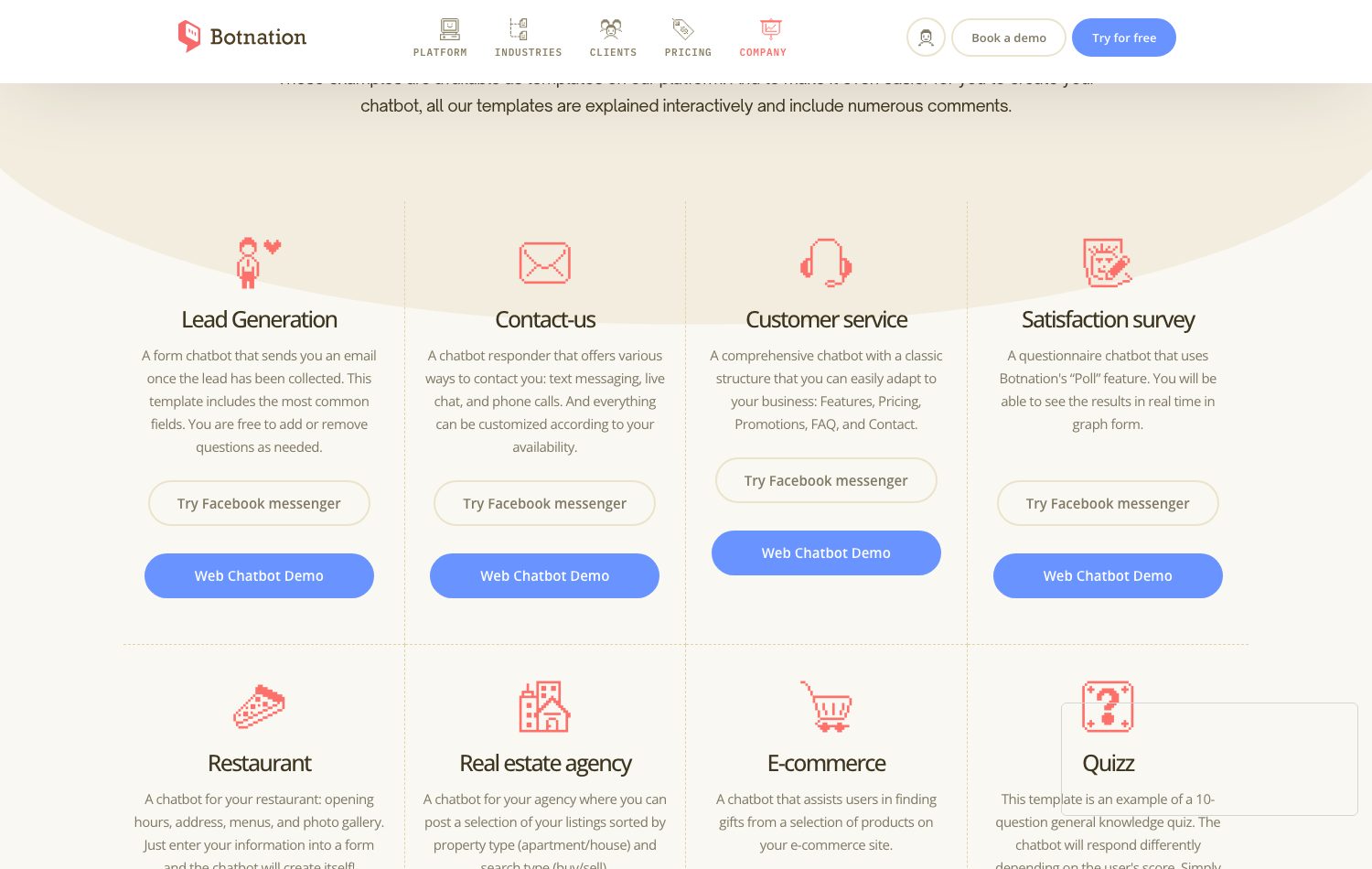
To start faster, Botnation’s template gallery exposes more than 150 ready-to-use chatbot templates (real estate, restaurants, lead qualification…): picking a template does not replace design, but it provides proven paths to adapt rather than a blank page.
Step 4: write the personality and tone
The bot’s personality is a one-page document, not an intuition. It sets: the form of address, the target answer length (usually one to three sentences), the familiarity level (bot first name or not, humor yes/no/for which brands), the forbidden formulations (promises, medical or legal opinions, off-grid prices) and the apology and recovery formulas after a misunderstanding.
This charter matters even more with a generative AI bot: it feeds the system prompt and keeps the voice consistent between hand-written answers and the ones the model phrases. A bot that alternates between a notary’s tone and an influencer’s loses trust faster than a bot that makes a factual mistake.
Step 5: set the legal and safety guardrails
Three parts, to be designed before development:
- transparency: announce the automated nature of the chatbot and, when an answer is generated by AI, do not pass it off as a human text. Article 50 of Regulation (EU) 2024/1689, applicable since August 2, 2026, makes this an obligation for providers and deployers; the penalties provided by the Regulation show this is not a cosmetic detail;
- personal data: the chatbot will collect data (at minimum messages, often an email or an order number). CNIL, in its “Chatbots” sheet of February 19, 2021 (published in French only), recalls the applicable principles: defined purpose, data minimization, set retention period, informing individuals. Design what the bot does not ask for: it is the best GDPR there is;
- topic limits: black list of subjects where the bot apologizes and transfers (health, law, personal finance, serious complaints), and for an internal bot, vigilance over HR data.
For an internal chatbot, the works council must moreover be informed of the introduction of a new digital tool within the scope of its consultative duties: our article on the employee support chatbot details this step nobody mentions.
Step 6: build the test set and test
The test set is written from the step 2 mapping: the 30 to 60 most frequent real questions, declined into variants (typos, synonyms, casual phrasing, two-step questions). Add the trap questions: the out-of-scope question, the sensitive question, the malicious question, the question in a foreign language.
Acceptance testing happens in two rounds: internal testing (project members try to break the bot), then external testing with five to ten people who did not work on the design: they ask the questions nobody planned. For each attempt you note: the answer obtained, the path followed, the need for escalation, and you compare against the indicators set in step 1.
Step 7: measure, feed, iterate
An unattended chatbot degrades: content ages, new questions arrive, intents drift. Design must therefore plan its own maintenance from the start: a monthly review of unresolved conversations, a workflow to add a question-answer pair within minutes, a named owner (a person, not a committee).
This is also where the knowledge base becomes an asset: every unresolved question is information about your customers that nobody ever told you this clearly. The questions the bot fails to handle feed the next version of the specification.
A complete example: designing a customer service chatbot for an e-commerce retailer
The design on one page, from framing to the test set
Worked example: cosmetics e-commerce, 40,000 customers
Step 1. Mission: “tell consumer customers the status of their order and handle returns, without going through email support”. Indicators: 60% of tracking requests resolved without a human at three months; response time under 30 seconds; CSAT above 4 out of 5.
Step 2. Three-month email mapping: order tracking (52% of requests), returns and refunds (21%), product advice (14%), complaints (8%), other (5%). Decision: version 1 = tracking + returns + escalation. Product advice moves to version 2 (it requires plugging into the product sheets).
Step 3. Three paths: “Where is my order?” (number or email, answer from the carrier), “I want to return a product” (reason, eligibility, label), “I want to talk to a human” (time slots, callback within 2 business hours).
Step 4. Tone: polite form of address, bot first name, answers of two sentences maximum, no humor on complaints, no refund-timeline promise outside the official policy.
Step 5. Automated nature disclosed in the welcome message; collection limited to email and order number; conversations kept 12 months; immediate transfer for any mention of allergy or skin reaction.
Step 6. Test set: 45 real questions including 8 traps (“my cream damaged my skin”, an order in German, a wrong number three times).
Which design framing fits your project?
Five questions are enough to settle the dominant framing of your project. Check the situation closest to yours in each group: the verdict panel shows the framing to favor, with its design deliverables. In case of a tie, the tool keeps the lightest framing: it is always the right starting point.
Design framing selector
Answer with today’s situation, not with the three-year ambition: a successful framing gets re-evaluated at every version.
1. What is the chatbot’s main mission?
2. How much existing content can you plug into the bot?
3. Where will the chatbot mainly live?
4. How strict is your answer reliability requirement?
5. Who will design and maintain the bot?
Scripted FAQ chatbot
Your project lives on a bounded scope and safe answers. To design: the conversation tree of the 20 to 60 most frequent questions, the button labels, the tone charter and the escalation path. This is the framing that is fastest to acceptance-test and simplest to maintain; it can be built entirely in autonomy on a no-code platform, including the free plan to start.
AI assistant grounded in your content
Your wealth is your content: the bot must draw its answers from it. To design: the source inventory (FAQ, docs, articles) and its freshness, the guardrail rules (what the bot never says), the tone imposed on the model and the coverage indicators. Re-read our RAG chatbot guide before freezing the scope: how sources are chunked is the decision that weighs most on final quality.
Multi-channel qualification agent
Your bot has a job: get the visitor talking, qualify and trigger the action (appointment, callback, cart). To design: the question funnel and its order, the scoring grid, the integrations (CRM, calendar) and each channel’s specifics, from the website widget to WhatsApp. Data is at the center: define early which fields are collected, which are optional, and the retention period.
Accompanied custom project
Your project crosses a complex catalog, several channels and a high result requirement: the framing is best made with chatbot creation experts, within an accompanied offer like Entreprise, on quote. To design with them: the complete specification (the 8 sections below), the acceptance milestones and the maintenance plan. The benefit of a team that designs and builds with the platform’s publisher: no lossy translation between the spec and the delivery, and the account, the scenarios and the knowledge base remain in the editor under your name after delivery.
The selector gives the dominant framing at the moment you answer: projects evolve, and a framing gets re-evaluated at every version.
| Framing | Ideal for | Key design deliverables | Main watchpoint |
|---|---|---|---|
| A. Scripted FAQ | Stable FAQ, guided journeys | Conversation tree, labels, escalation | Do not underestimate question-answer maintenance |
| B. AI assistant on content | Rich documentation base | Source inventory, guardrails, tone | Source freshness conditions accuracy |
| C. Qualification agent | Leads, appointments, multi-channel | Question funnel, scoring, integrations | Data collection must stay minimal |
| D. Accompanied project | Complex catalog, high stakes | Full spec, acceptance milestones, maintenance | Write down who maintains the bot after delivery |
The design specification, section by section
The specification is design’s final deliverable: once this document is signed, development or configuration can start, in-house or with a provider. Eight sections are enough, in this order:
- Context and mission: the original quantified problem, the mission sentence, the explicit scope of requests handled and not handled in version 1.
- Audience and channels: the personas (consumer customer, employee, prospect), the target channels with their format constraints.
- Demand mapping: the frequency x criticality table from step 2, with the starting volumes.
- Conversation paths: the trees or scripts of the selected paths, with their exits and the escalation path.
- Knowledge and AI level: the sources that will feed the bot, their owner, their update frequency, and the target technical level (rules, content, generation).
- Personality and tone: the bot’s editorial charter (one page).
- Guardrails and compliance: disclosure of the automated nature, data collected and retention periods, forbidden topics, escalation and human validation workflow.
- Indicators and acceptance: the step 1 targets, the test set, the production go-live criteria and the maintenance plan (monthly review, named owner).
Our how to develop a chatbot article offers an interactive specification generator that writes these sections from your answers: handy to get a first draft to rework.
Who designs the chatbot: in autonomy or accompanied?
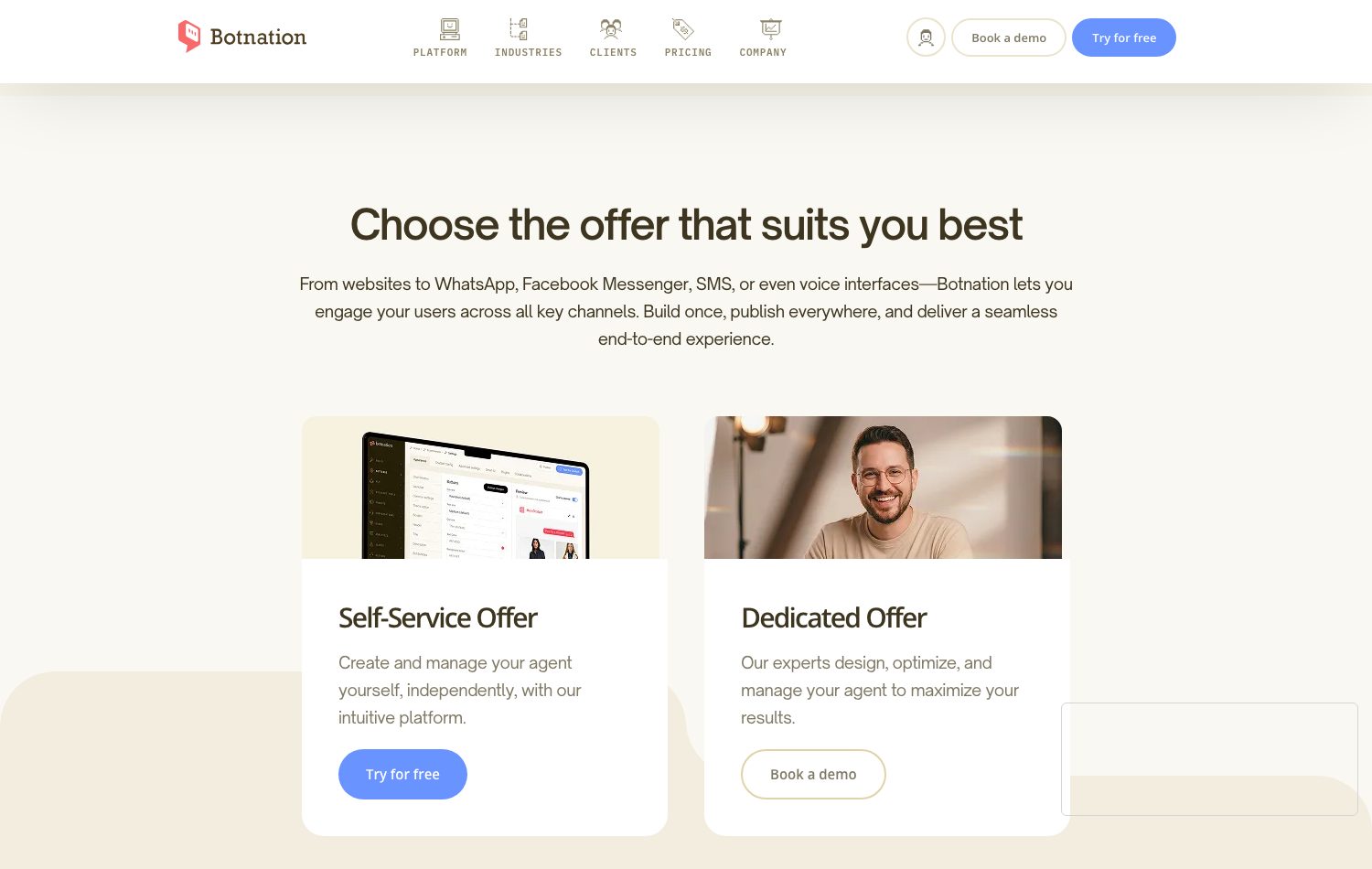
Two routes exist, and they do not oppose each other. The autonomous route: your team designs and builds on a no-code platform, with the subscription grid as the only cost known in advance. The accompanied route: chatbot creation experts design and build the bot with you, typically within an accompanied offer like Entreprise, on quote.
Botnation holds both: the company publishes the no-code platform and builds custom chatbots for its clients through its Entreprise offer (on quote). The benefit of the second route is continuity: the team designing your bot is the one publishing the tool it runs on, so there is no middleman between the specification and the delivery; after delivery, the account, the scenarios and the knowledge base remain under your name in the editor. A third-party agency remains perfectly legitimate when a highly specialized craft, an on-site engagement or an integrator already in place calls for it: what matters is that the design specification stays written and signed on both sides.
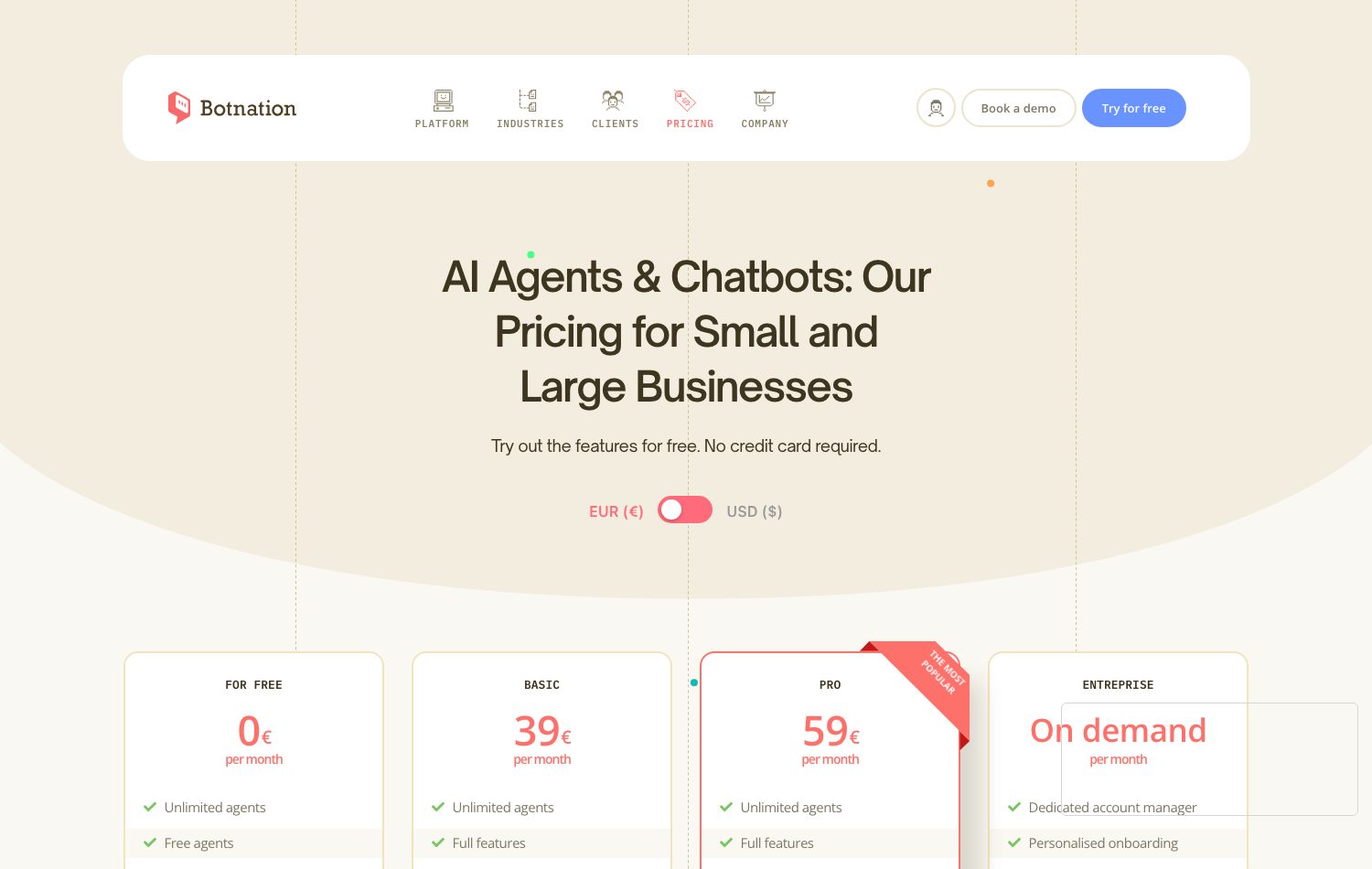
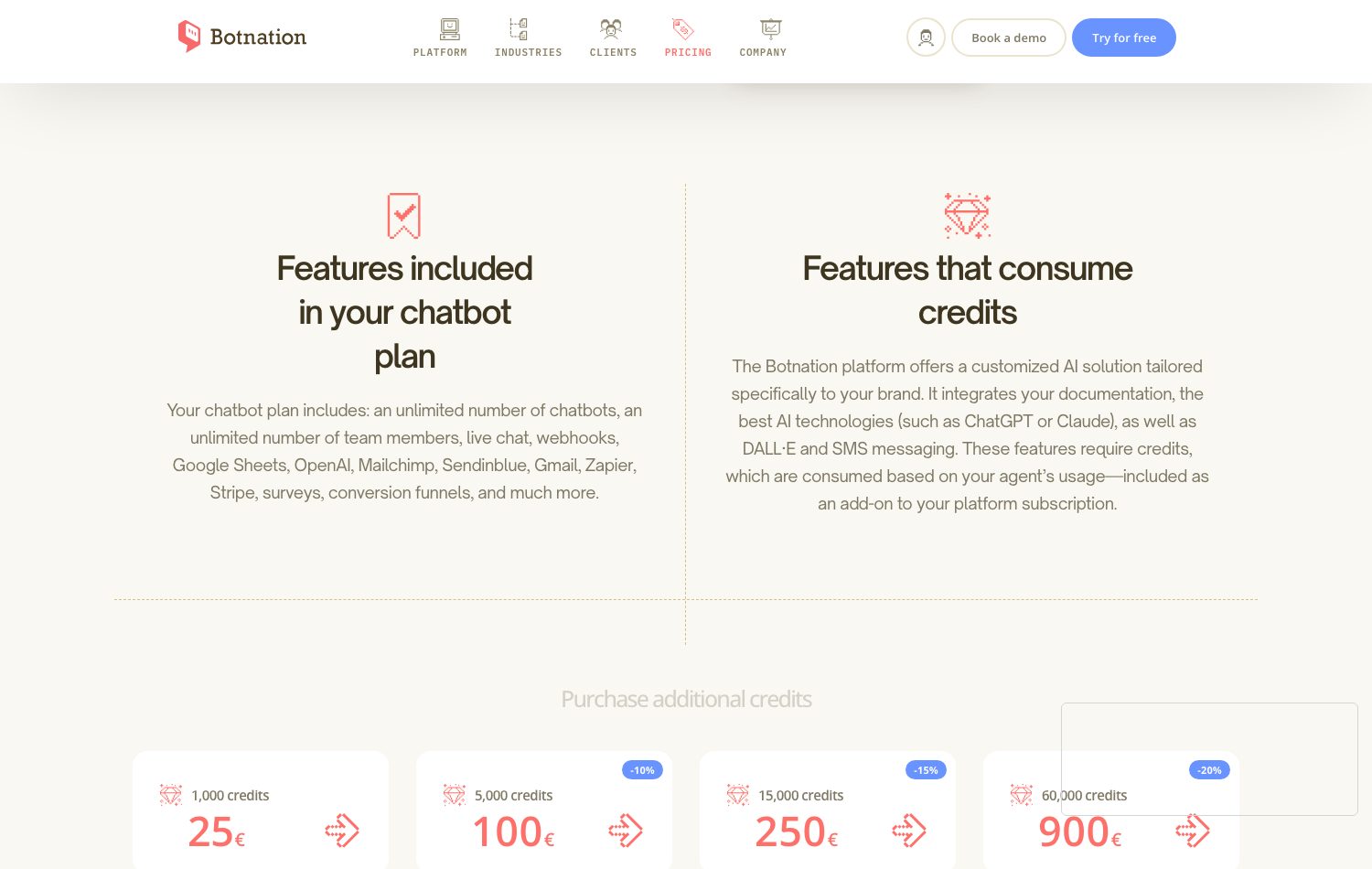
Here is the platform’s public grid, captured on September 10, 2026 on the pricing page (prices shown in euros, excl. tax, when opened from the European Union):
| Plan | Public price (captured 09/10/2026, excl. tax) | What it covers for designing |
|---|---|---|
| For Free | 0 € per month | Unlimited chatbots: design and prototype in full autonomy |
| Basic | 39 € per month | Full features, analytics, 500 users and 500 AI credits offered (one time) |
| Pro | 59 € per month | Same as Basic with 1,000 users and 1,000 AI credits offered (one time) |
| Entreprise | On demand, on quote | Dedicated account manager, personalized onboarding, premium support, chatbot creation management |
AI credits consumed beyond the allowances are bought in packs: 1,000 credits at 25 €, 5,000 at 100 €, 15,000 at 250 €, 60,000 at 900 € (same September 10, 2026 figures, excl. tax), and a user beyond the plan’s quota costs 0.05 € per month. The cost of a custom accompanied build, for its part, is quoted only on request: any range circulating without commitment is not worth a signature.
The 5 design mistakes that cost the most
We devote a full article to chatbot creation mistakes; here are the ones that play out precisely at the design stage, where they are the most expensive to repair.
Framing mistakes
- The elastic scope: “it could also…” at every meeting; version 1 never ships.
- No indicator: impossible to tell whether the bot is useful, hence impossible to defend it in a committee.
- Designing for the demo: spectacular paths on nominal cases, nothing for real cases (typos, anger, off-topic).
Experience mistakes
- No designed escalation: the user locked in a button menu with no human way out.
- The default tone: the bot’s voice decides itself answer after answer, often the last writer’s.
- Compliance as an afterthought: transparency and personal data thought about after going live, when everything must be rewritten.
The common point of these five mistakes: they are invisible on launch day and get paid for during the first month of operation. This is why the method above puts indicators at step 1 and guardrails at step 5, before any development.
FAQ on designing a chatbot
Do you need to know how to code to design a chatbot?
No. Design produces a specification, conversation paths and a tone charter: writing and analysis deliverables, not code. The implementation itself can be done without programming, on a no-code platform; our how to develop a chatbot guide compares the three routes, including the code route for those who prefer it.
What is the difference between designing and developing a chatbot?
Design decides what the bot must do and within which limits; development builds how it does it (no-code configuration or code). The same person can carry both, but the deliverables differ: spec and paths on one side, scenarios and integrations on the other.
How long does chatbot design take?
As an order of magnitude: a few days for a bounded-scope scripted FAQ, a few weeks for an AI assistant grounded in a rich documentation base (sources must be inventoried and made reliable), and a proper workshop project for an accompanied multi-channel deployment. The variable that weighs most is not technical: it is the time to gather and stabilize your content and your demand map.
How much does chatbot design cost?
In autonomy on a no-code platform, the design cost is your working time: plans range from free (0 €) to the 39 € and 59 € monthly subscriptions (grid captured 09/10/2026, excl. tax), plus AI credits if you use generation. In an accompanied custom build, the cost depends on the scope and is quoted only on request.
Must a chatbot say it is a robot?
Yes, and this is designed into the very first message. Article 50 of Regulation (EU) 2024/1689 on AI, applicable since August 2, 2026, requires informing the user that they are interacting with an AI, unless it is obvious from the context; CNIL already recommended it in its “Chatbots” sheet of February 19, 2021 (published in French only). In practice: one clear welcome sentence, and no generated answer passed off as a human text.
Where to start when you have no data on the demand?
From the sources you already have: shared mailbox, support tickets, questions asked to your sales teams, the site’s internal searches. Failing that, one week of systematic logging is enough to surface the first recurring questions: three months of imperfect data beat an imagination workshop.
Conclusion: designing means deciding before building
A successful chatbot is first a well-designed chatbot: a one-sentence mission, indicators set before the first answer, paths with exits, a written tone, guardrails laid before launch and a named maintenance plan. The technical part, for its own, has never been so accessible: the choice now plays out between autonomy on a no-code platform and a custom build accompanied by a team of experts, and the two routes can follow each other on the same project.
From design to go-live
Design your chatbot in autonomy on the platform, from the free plan to the Basic and Pro offers, or entrust the design and the build to our chatbot creation experts: in both cases, the specification above remains your best launching ramp.