Developing a chatbot no longer means writing code. Three routes coexist in 2026: custom development, building on a no-code platform, and having the work done by a provider. They do not cost the same, and above all they do not cost in the same place.
A new constraint has applied to all three since 2 August 2026: your chatbot must say that it is an artificial intelligence. That obligation was not postponed, unlike other parts of the European AI regulation.
Further down, a generator writes your specification in six clicks, and you copy it in one.
The question “how do I develop a chatbot” is nothing like what it was in 2020. Back then, the answer was a technical stack: a server, a natural language library, a set of intents to annotate by hand, and several weeks of work before the first exchange that made any sense.
Today, the same sentence covers three radically different projects. A developer plugging a language model API into a document base. A marketing manager assembling a conversation flow in a visual editor on a Tuesday afternoon. An IT director signing a quote. All three have “developed a chatbot”. None of them did the same job, committed the same budget, or took the same risks.
This page sorts it out. It describes the three routes with their real costs, gives the seven-step method that applies to all three, sets out the legal obligation that came into application on 2 August 2026, and lets you leave with a written specification.
What does developing a chatbot actually mean?
The word “develop” carries an ambiguity that derails most projects from the very first meeting. In a developer’s mouth it means writing code. In a manager’s mouth it means putting a chatbot in place, by whatever means. Both are right, and that is exactly the problem: nobody is talking about the same budget.
Developing a chatbot, in 2026, means designing and putting into service a conversational agent: defining what it must do, giving it something to answer from, installing it on a channel, and organising what happens when it does not know. Writing code is only one of the three ways to get there, and it has become the least common one.
The shift is clear. The hard part of a chatbot project is no longer language understanding: language models made that ordinary. The hard part now is your content, your business rules, and the boundary between what the machine may say and what it must hand over to a human. That is editorial and organisational work far more than engineering work.
If the vocabulary feels blurry, two references help: the definition of a chatbot and how it works on one side, and the types of chatbots on the other, which separate the scripted bot, the intelligent bot and the generative bot.
The three routes to developing a chatbot
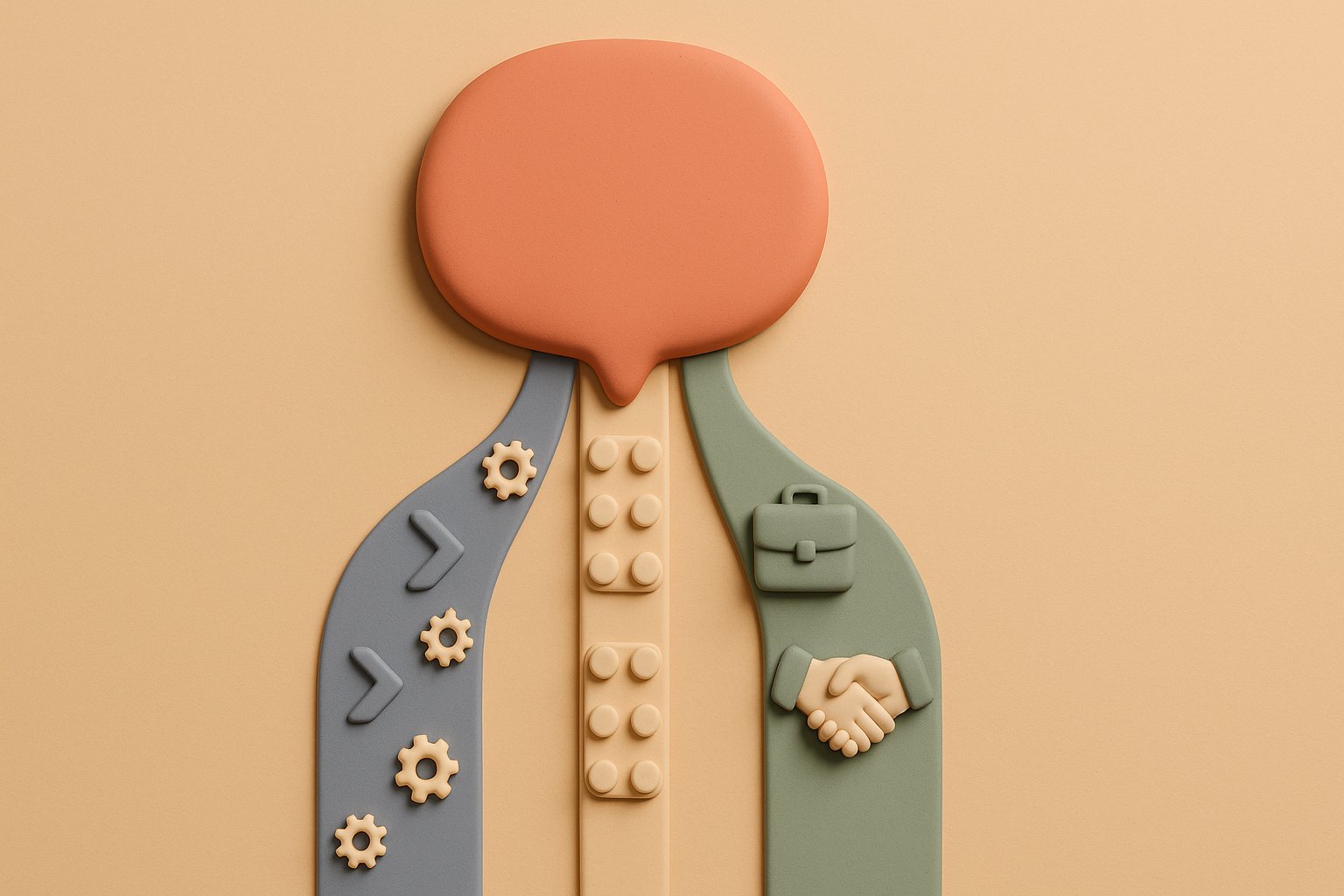
Here are the three paths, with what they really demand. The price ranges below are market orders of magnitude, taken from grids published by third-party providers. They are not Botnation rates.
| Criterion | Write the code | No-code platform | Have it built |
|---|---|---|---|
| Skills required | Development, APIs, vector database, hosting | Knowledge of your business and your answers | Writing a specification and running acceptance tests |
| First bot online | 2 to 8 weeks | Half a day to 2 days | 4 to 12 weeks |
| Setup cost | Internal time, often 10 to 30 person-days | 0 € on a free plan | 5,000 to 30,000 € as a market order of magnitude |
| Recurring cost | Model tokens, hosting, monitoring | Subscription, from 0 to 59 € per month at Botnation | Subscription plus maintenance, often 500 to 2,000 € per month |
| What breaks first | Keeping it running once the developer leaves | Cases outside the platform’s scope | Dependence on the provider after delivery |
| Who keeps control | Your technical team | You, inside the editor | It depends on what the contract says |
Route 1: write the code yourself
This is the route that matches the verb “develop” literally. It means calling a language model API, plugging your content into it through a document retrieval mechanism, and building the chat interface. The oldest tutorials still describe a heavier variant of this route, with a locally trained model and an annotated intent set: that is the approach detailed in our guide on how to develop a chatbot in Python, and it is no longer the shortest path in 2026.
What this route genuinely brings: full control of the logic, the ability to connect to any internal system, and no limits imposed by a vendor. What it costs, on the other hand, rarely shows up in the initial estimate.
What you gain
- No scope limits, anything is possible
- Direct connection to your internal systems
- Free choice of model and hosting
- The code belongs to you
What it really costs
- Developer time, by far the heaviest item
- Monitoring: logs, alerts, on-call duty
- Model tokens, billed on every exchange
- Keeping it running once the person who wrote the code moves on
The demo works in three days. That is true, and that is the problem: it creates the illusion that the project is done. Between a demo answering five hand-picked questions and a service that takes your customers’ real questions without getting a price wrong, sits most of the work. Budget for the second part, not the first.
Route 2: build on a no-code platform
Here you assemble the conversation in a visual editor, import your content, and publish. It is the majority route today, and it is the one that moved the subject from the IT department to the business teams. The person best placed to build the bot is no longer the one who can code, it is the one who knows the answers.
The parameter that matters most on this route is not the number of blocks available in the editor: it is how the platform feeds on your content. A bot that ignores your prices, your lead times and your terms helps nobody. Two useful reads before you start: where a chatbot gets its information, and the method to train a chatbot on your own data.
Start on the free plan and with a single path, the one for the question you are asked most often. A bot that answers one question perfectly beats a bot that answers forty badly. You will find the step-by-step approach in our guide to creating a free chatbot without coding.
Route 3: have your chatbot built
You write the requirement, someone else builds. That someone can be a specialised agency, an integrator already working with you, a freelance developer, or the platform vendor itself. That last case is often forgotten in comparisons, even though it removes the most intermediaries.
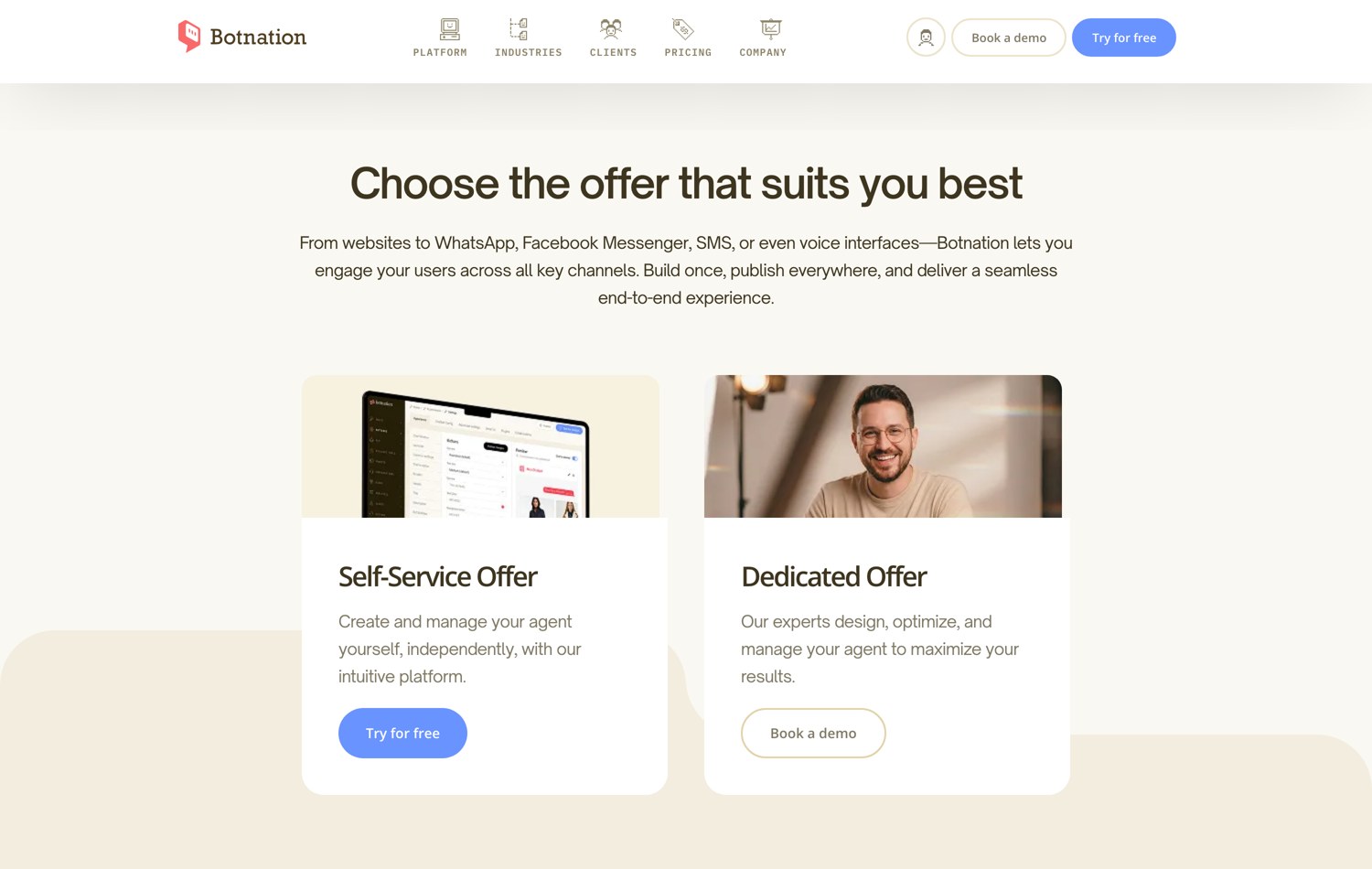
Botnation sits in both positions at once: the company publishes a no-code platform and builds custom chatbots for its clients, through the Enterprise offer and its chatbot creation experts. Better to say it plainly, since this page describes a market we are active in. The concrete advantage of that setup is simple: the team that builds is the team that publishes the tool, there is no bespoke development to take over later, and you keep control inside the editor after delivery, on your own account. A third-party agency remains perfectly legitimate for a very specific trade, for on-site staffing, or when an integrator is already working with you. The selection criteria and market ranges are detailed in our guide to AI chatbot agencies.
The price and lead time of a custom build by our teams are not public: they depend on scope, and they are quoted on request. The ranges quoted above are market orders of magnitude collected from third-party providers. Never read them as Botnation rates.
Since 2 August 2026, your chatbot must say that it is an AI
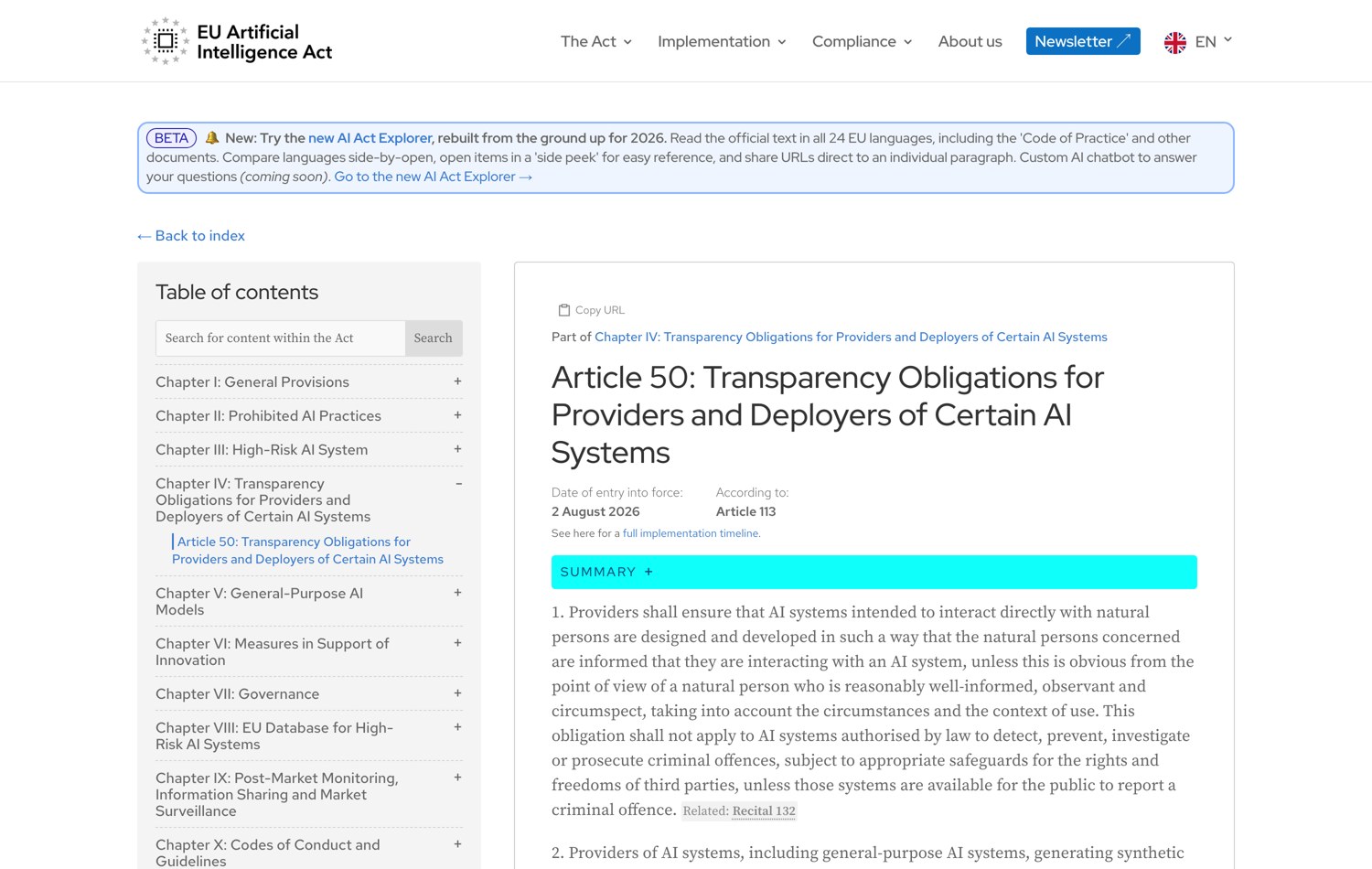
This is the most concrete change of the year for anyone putting a chatbot online in Europe, and it is almost absent from the creation guides published so far. Article 50 of the European regulation on artificial intelligence came into application on 2 August 2026. Its first paragraph is short and leaves no room for interpretation.
Providers shall ensure that AI systems intended to interact directly with natural persons are designed and developed in such a way that the natural persons concerned are informed that they are interacting with an AI system, unless this is obvious from the point of view of a natural person who is reasonably well-informed, observant and circumspect. Regulation (EU) 2024/1689, Article 50, paragraph 1.
Two clarifications matter, because they are regularly confused.
The first: Article 50 was not postponed. The European simplification package adopted in spring 2026, known as the digital omnibus, did shift some obligations of the regulation, but not these ones. The provisional agreement of 7 May 2026, approved by the European Parliament on 16 June and by the Council on 29 June, pushes the obligations on high-risk systems listed in Annex III, such as candidate screening or credit scoring, to 2 December 2027. The transparency obligations of Article 50 have applied since 2 August 2026. In other words: the part of the regulation that concerns the largest number of companies is precisely the part that did not move.
The second: the duty to inform does not depend on the technology used. A fully scripted bot, without a single line of generative AI, is still an AI system under the regulation as soon as it interacts with people. In practice, the answer fits in one sentence placed in the right spot.
What to write, concretely
to do today
The chatbot’s first message announces what it is, in plain words, without jargon. No legal notice in the footer, no asterisk: the person must know before typing their question.
The second part of Article 50 covers content generated by an AI, which must be marked as such in a machine-readable format. It applies to chatbots whose answers are produced by a generative model, not to those that simply serve answers written in advance. If your project falls into that category, our guide to the generative AI chatbot details how it works and what to watch.
General information, current as of 3 August 2026. This content does not replace legal advice on your specific situation.
The seven-step method, valid for all three routes
Whichever route you take, the order of operations does not change. What changes is who performs each step. Skipping the first one is by far the most common cause of failure.
- Pick a single starting questionTake the question your team receives most often. Count it over a real week, do not estimate it. That question justifies the project and becomes your measuring stick.
- Write the answer the way a human would give itBefore any tool, write the right answer out in full, edge cases included. If nobody in the company can write it, no chatbot will be able to say it.
- Gather the materialProduct sheets, terms and conditions, delivery page, the support team’s question and answer spreadsheet. That is the material the chatbot will serve. Its quality caps the quality of the bot.
- Build the main pathA beginning, three or four branches, an end. Resist the urge to cover everything: scope widens after go-live, never before.
- Define the safety netWhat happens when the bot does not know? Handover to a human, ticket creation, or an honest failure message. Decide it explicitly, otherwise the tool will decide for you.
- Run acceptance tests on real questionsReplay 50 questions your customers actually asked, not 50 invented for the occasion. Log every wrong answer. It is the only test that counts.
- Publish small, measure, widenOne low-traffic page for a week, then the whole site. Read the conversations every day during that first week: they will tell you what you forgot.

Steps 5 and 6 are the ones people skip when deadlines tighten, and they are exactly the ones that separate a useful chatbot from one visitors work around. We documented the other pitfalls in our review of the most common chatbot creation mistakes.
The specification generator
A chatbot project rarely fails on technology. It fails on a requirement that was never written down, which everyone pictures differently. Answer the six questions below: the specification rewrites itself on every click, and you copy it in one.
Generate your chatbot specification
Six decisions, eight written sections. The document rewrites itself on every click.
1. What should your chatbot do first?
2. Which channel will it be published on?
3. Where do the answers come from?
4. What happens when the chatbot cannot answer?
5. What volume do you expect?
6. Who is going to build it?
The eight sections above update on every click.
This document is nothing like a contract, but it is enough to frame a first meeting, to request comparable quotes from several providers, or to reach internal agreement before opening any editor at all.
What does developing a chatbot really cost?
A chatbot costs in four places, and quotes often show only one. Here are the four items, with what makes them vary.
| Item | What it is | What makes it vary |
|---|---|---|
| Setup | Design, writing the answers, building, acceptance testing | The number of paths, not the number of pages on your site |
| Subscription | The platform that hosts and publishes the bot | The number of users reached and the features switched on |
| AI usage | Answers produced by a language model | Conversation volume and the length of context sent on each call |
| Upkeep | Reading conversations, updating content | How often your offers and prices change |
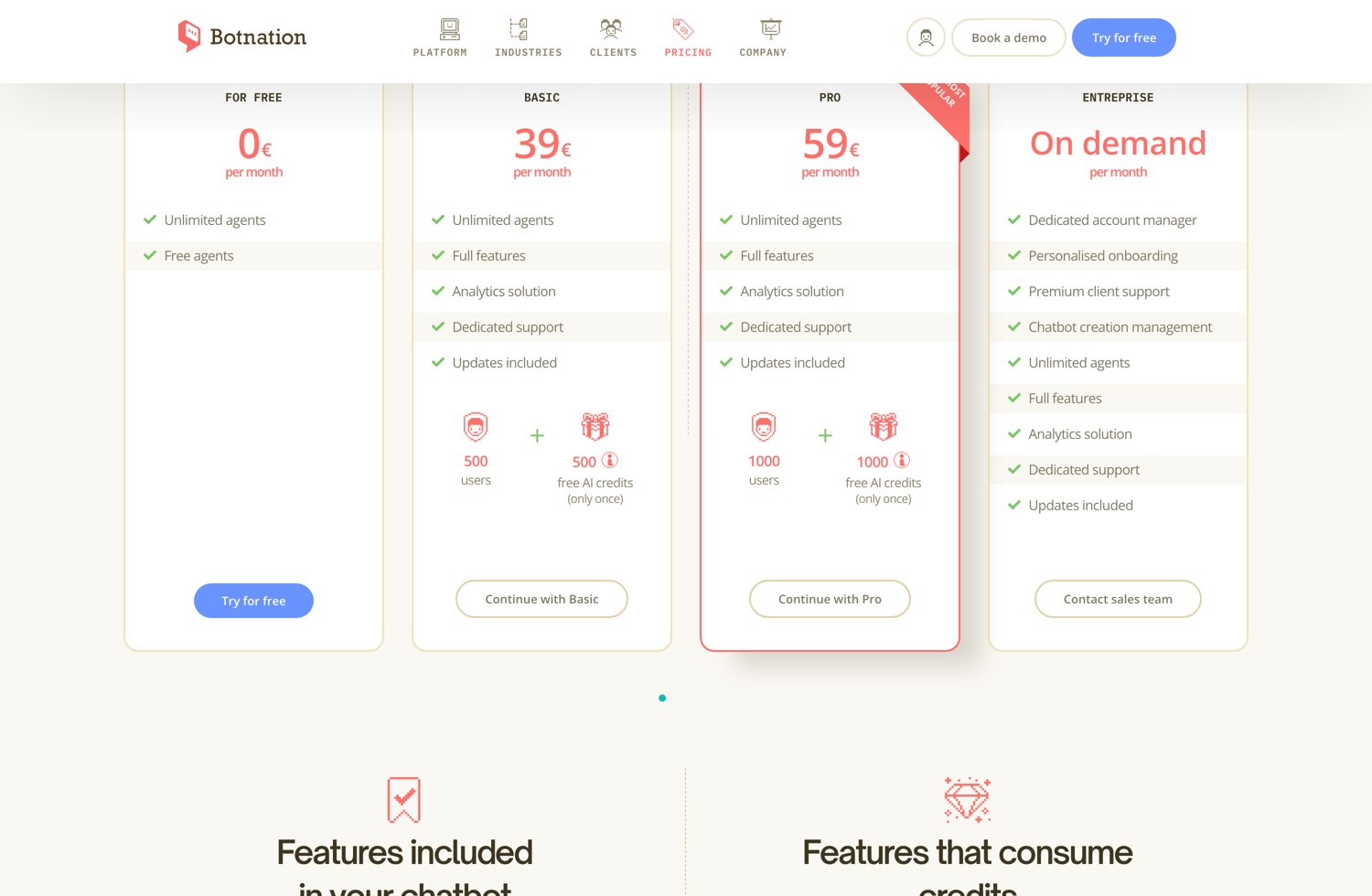
On the no-code route, the first two items are public and verifiable. At Botnation, the grid recorded on 3 August 2026 shows a For Free plan at 0 €, a Basic plan at 39 € per month with 500 users, a Pro plan at 59 € per month with 1,000 users, and an Enterprise offer on demand that literally lists “Chatbot creation management”. Prices are shown in euros and exclude VAT.
The most underestimated item is the fourth. A chatbot is not a brochure website: it ages fast, because it talks about prices, lead times and availability. Budget one hour of reading per week at launch, less afterwards. That is what separates a bot that gets sharper from a bot people eventually switch off.
Compare the full annual cost of the three routes, not the entry price. Over three years, an in-house team maintaining a hand-coded bot almost always costs more than a subscription, unless the bot is a differentiator of your product. Conversely, if your requirement falls outside a platform’s scope, the subscription is a ceiling, not a saving.
Which channel to publish on, and why it changes everything
The channel is not an end-of-project detail: it shapes how the answers are written. On a website you have buttons, lists and formatting. On WhatsApp the conversation is more intimate, shorter, and a reply window frames the exchanges. On Messenger and Instagram, Meta’s follow-up rules set the rhythm.
- Website: the simplest to launch, the easiest to measure, and the only one where you fully control the display.
- WhatsApp: very high read rates, but a Meta account to verify, message templates to get approved, and per-message billing on Meta’s side that adds to the subscription.
- Messenger and Instagram: relevant when your audience is already there, with strict follow-up rules to build into the flow.
- Internal, on the intranet: questions are more repetitive and the gains faster to demonstrate, as our guide to the internal chatbot for your company shows.
A flow built once can be published on several channels, provided you accept a degraded version where buttons and carousels do not exist. The full list of available channels is on the distribution channels page.
Frequently asked questions
Do you need to know how to code to develop a chatbot?
No, and not for a long time now. No-code platforms let you build a complete chatbot in a visual editor, import your content and publish it without writing a single line of code. Code becomes useful again in two cases only: when the bot must connect to an internal system no connector covers, and when the conversation itself is the product you sell.
What is the best tool to build a chatbot?
There is no single best one, there is the one that matches your channel and your answer source. The three questions that actually decide: can the platform feed on your existing content, does it publish on the channel where your customers are, and can you take back control inside the editor without going through a provider? Our comparison of chatbot apps reviews twelve tools against those criteria.
How long does it take to develop a chatbot?
Half a day for a first useful path on a no-code platform. Two to eight weeks for a hand-coded version. Four to twelve weeks for a project handed to a provider, framing included. In all three cases, add two to four weeks of real-world operation before the bot becomes good: that time cannot be compressed, it is what corrects the bot on real questions.
What is the average price of a chatbot?
A website chatbot on a no-code platform starts at 0 € and sits between 39 and 59 € per month for ordinary professional use. A project handed to a provider sits, as a market order of magnitude, between 5,000 and 30,000 € of setup, plus monthly maintenance. An in-house custom build is mostly counted in person-days, on top of language model usage and hosting. Be wary of any price announced without a scope: scope is what makes the price.
Does my chatbot have to say that it is an AI?
Yes, since 2 August 2026, if you address people in the European Union. Article 50 of Regulation (EU) 2024/1689 requires you to inform the person that they are interacting with an AI system, unless it is obvious from the context. The safest way to comply is to announce it in the bot’s first message. Failure to comply can be penalised by up to 15 million euros or 3 % of annual worldwide turnover.
Can you develop a chatbot that answers from your own documents?
Yes, and it is now the most widespread architecture. The principle is to find the right passage in your content, then ask the model to write the answer from that passage only. That is what stops the bot from inventing. The full method, with the file formats that work best, is described in our guide to training a chatbot on your own data.
Where to start this week
Go back to the first step of the method: identify the question your team receives most, count it over five days, and write the right answer. Then run the generator above, copy the specification, and have it reviewed by the person who answers that question today. In one hour you will have more material than most projects have after a month.
Then pick your route. If you want to build it yourself, the free plan lets you set up the first path with no commitment. If you would rather have it built, our chatbot creation experts work on request, starting from the specification you have just written.
Develop your chatbot, alone or with us
Build your first path for free on the platform, or have your project scoped by our team. Both doors lead to the same place: a chatbot online, on your own account.
Sources and records: the text of Article 50 and its date of application recorded on artificialintelligenceact.eu on 3 August 2026; the digital omnibus timeline cross-checked against several legal analyses published after the agreement of 7 May 2026; Botnation pricing recorded on the Pricing page on 3 August 2026.