Do you know exactly what role you want your bot to play, what tone it should use, and what information it needs to know?
The quick creation feature lets you define your agent in just a few lines of text. Botnation takes care of the rest.
How does prompt-based creation work?
You write a natural-language instruction that describes your agent: its role, personality, area of expertise, the key information it needs to know, and the limitations it must follow. Botnation automatically configures your bot based on this description.
This is the most flexible method, particularly well-suited if you have a clear vision of your agent but don’t necessarily have structured content available.
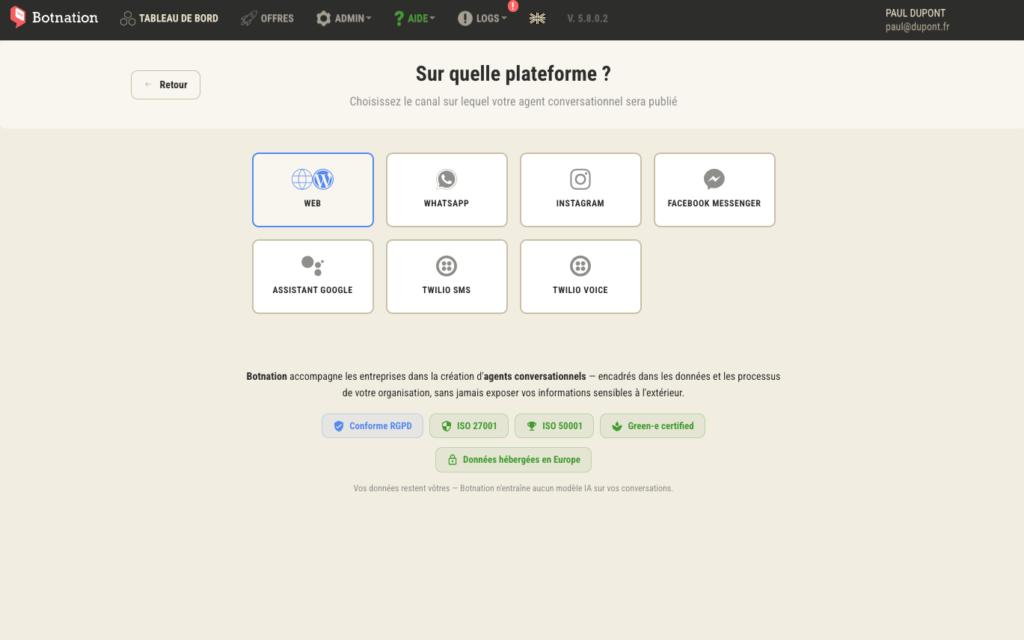
Step 1: Choose your distribution channel
From your Botnation dashboard, click ” Create a New Chatbot ” and then select your channel:
- 💻 Website
- 📘 Messenger
Step 2: Choose the type of chatbot
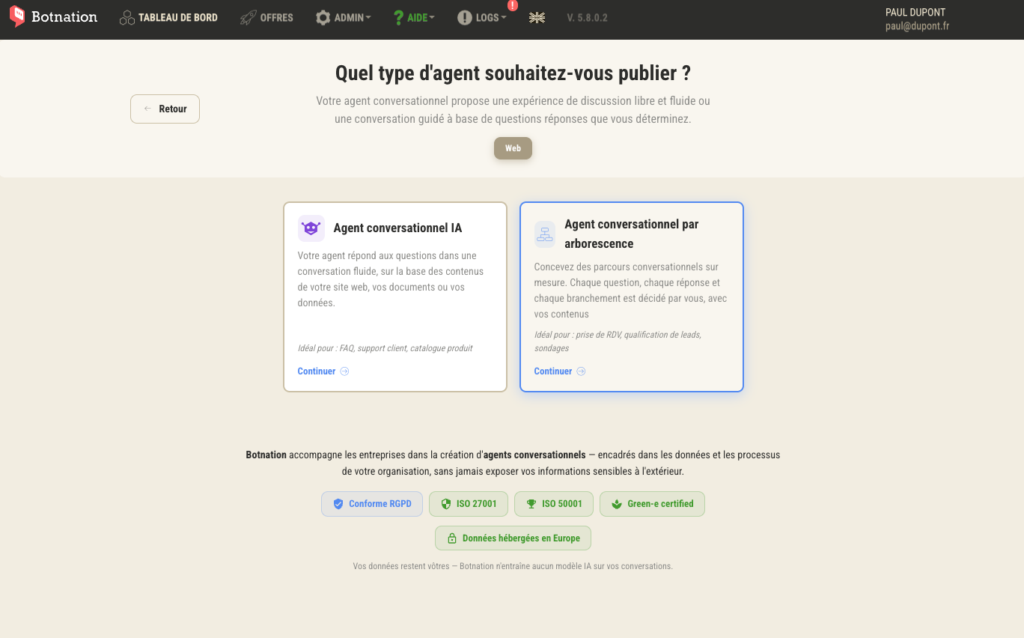
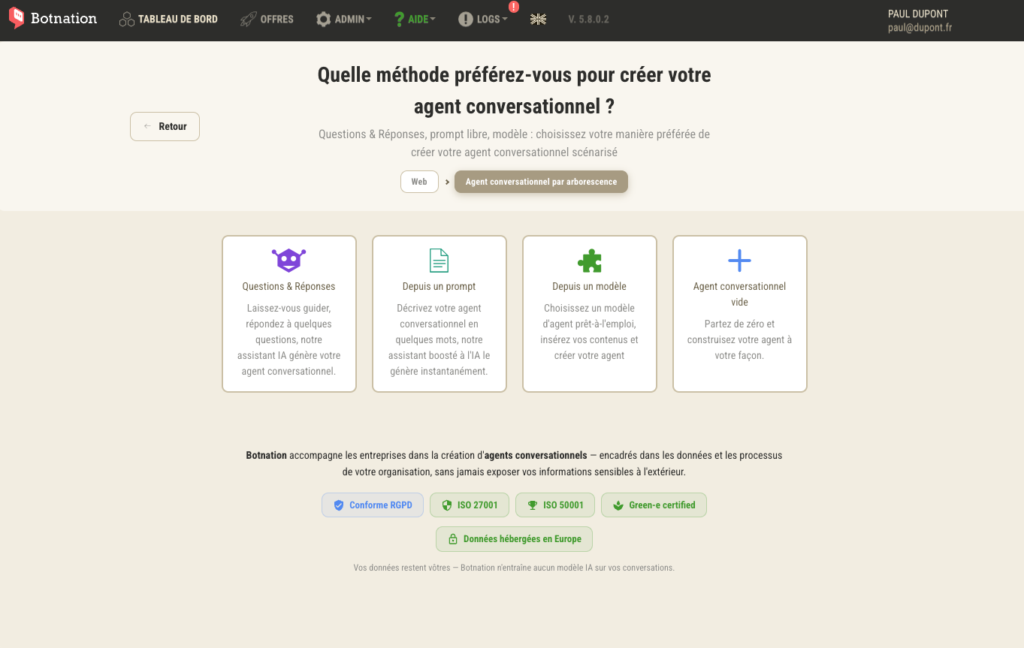
Select ” By Tree” → “Prompt ” to access the step-by-step creation method.
GOOD TO KNOW
: Prompt-based creation is available in tree view mode. If you want a 100% conversational agent based on a prompt, you can enhance your bot after creation by adding instructions in your bot’s AI settings.
Select the ” Conversational Agent” usage type from the drop-down menu
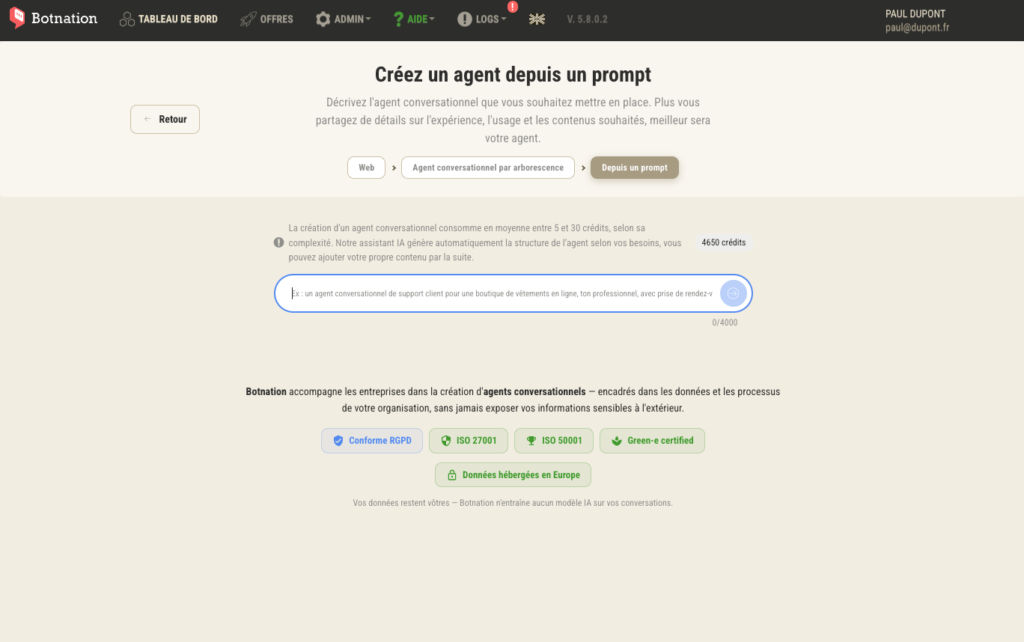
Step 3: Write Your Prompt
This is the key step. Your prompt should describe your agent as precisely as possible. Here are the elements to include:
The role of Agent
Who is he? What is his name? What company does he work for?
Example: “You are Léa, the virtual assistant for the MaisonDouce online store. You help customers find the perfect product, track their orders, and get information about delivery times.”
Tone and Personality
How should they express themselves?
Example: “You communicate in a warm and professional manner, always using the formal ‘vous’ when addressing the client.”
Area of expertise
What topics can it answer?
Example: “You can answer questions about our home decor products, our shipping terms, our return policy, and our current promotional offers.”
Guidelines to Follow
What should it avoid or refuse to do?
Example: “Do not discuss topics unrelated to the store. If a question is beyond your scope, suggest transferring it to a human advisor.”
TIP
The more specific your prompt is, the better your bot will perform right from the start. A good prompt is usually between 5 and 15 lines long. Avoid overly vague descriptions like “answer customer questions”—without context, your bot’s responses will lack relevance.
Step 4: Test and refine your prompt
Once the bot has been generated, test it using the Botnation preview by simulating typical questions from your users. If some of the responses are unsatisfactory:
- Go back to your bot’s settings
- Adjust your prompt by specifying the points that need to be corrected
- Run the test again
GOOD TO KNOW
The prompt-based creation process is iterative. Don’t strive for perfection on the first try—a few rounds of back-and-forth are usually enough to get a well-calibrated agent.
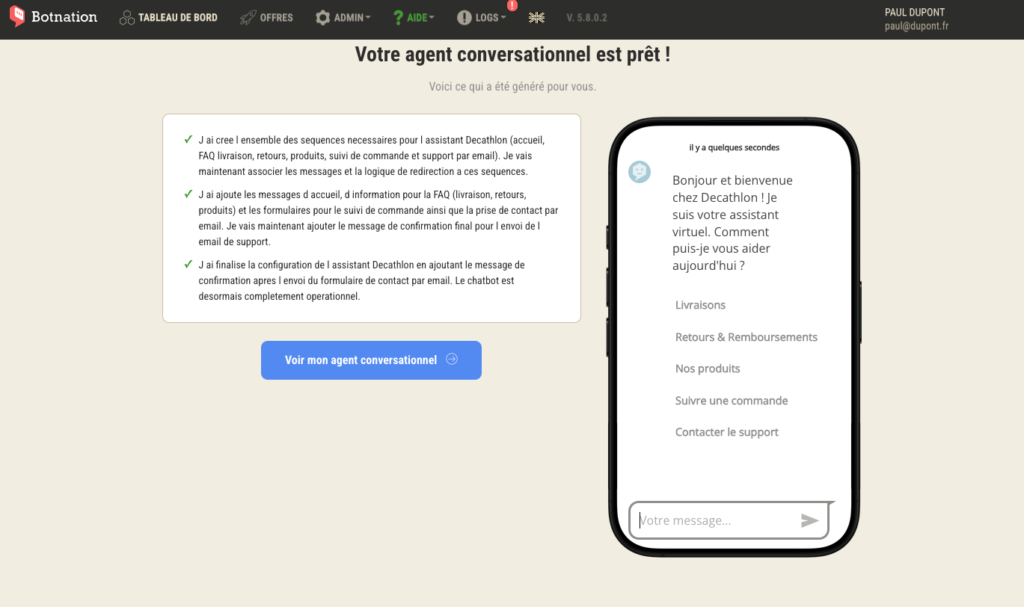
Step 5: Publish your bot
Validate and deploy your chatbot on your channel. You can customize the structure and content as you see fit.
Your agent is online.
Some examples of effective prompts
E-commerce Bot FAQ
“You are the virtual assistant for [Store Name]. You answer questions about products, shipping (standard delivery time: 3–5 business days; free shipping on orders of €50 or more), returns (30 days; refunds within 5 business days), and order tracking. Always address customers formally. If you don’t know the answer, suggest that they contact customer service via email.”
Appointment Scheduling Bot
“You are the assistant at [Practice / Salon]. You help clients schedule appointments and find out about rates and availability. You collect their first and last names and phone number before confirming the appointment. You always remain friendly and reassuring.”
Summary
- ✅ Selected distribution channel
- ✅ Tree view → Selected prompt
- ✅ Prompt written with role, tone, subject area, and constraints
- ✅ Bot tested and refined
- ✅ Bot deployed on your channel