In short: creating a chatbot means giving your customers an instant answer around the clock while taking repetitive work off your team’s plate. Designed properly, it answers common questions, qualifies prospects, books appointments and saves time on both sides of the counter.
According to Juniper Research, chatbots were expected to save businesses $11 billion a year and free up more than 2.5 billion hours. In this article: 8 real examples, the benefits you can actually measure, the limits worth knowing about, and how to get started without coding.
A visitor lands on your site at 10 p.m. with a simple question in mind. Nobody is there to answer. By the next morning, they have already bought somewhere else. That is exactly the kind of situation a chatbot makes disappear. But writing a chatbot off as an “automated answering machine” would be a mistake: designed properly, it is a real teammate on duty at all hours, one that serves your customers and your business.
Still, the question is a fair one: why create a chatbot instead of doing without one? Here is a complete answer, with numbers and examples to back it up.
What exactly is a chatbot?
A chatbot (or conversational agent) is a program that talks with a human in natural language, by text or by voice, on a website, an app or a messaging service. Its job: understand a request and answer it, or trigger the right action (look up an order, book an appointment, hand off to an advisor).
Chat vs. chatbot: a “chat” (or live chat) connects a visitor with a human in real time. A chatbot answers automatically, with no human involved. The best tools combine the two: the bot handles the volume and hands over to an advisor when it matters.
There are two broad families. Rule-based chatbots follow a decision tree (buttons, preset choices): reliable and predictable. AI-powered chatbots (the ones built on language models like ChatGPT) understand free-form phrasing and handle a wider range of requests. ChatGPT is itself a chatbot; the difference is that a business chatbot is plugged into your data and your processes.
Why create a chatbot: 6 concrete benefits
Beyond the novelty factor, a chatbot answers very practical needs. Here are the six reasons that come up most often.
1. Being available 24/7
This is the number one benefit in the public’s eyes. A chatbot never sleeps: it answers in the evening, on weekends and during activity spikes, without putting anyone on hold. According to the State of Chatbots report (Drift), 64% of consumers say round-the-clock availability is the best thing about chatbots.
2. Cutting support costs
By absorbing repetitive requests, a chatbot takes on a large share of the volume that swamps your team. IBM estimates that businesses spend roughly $1.3 trillion a year answering some 265 billion customer requests, and that a chatbot can cut that cost by up to 30%.
3. Answering instantly
Response time has become a buying criterion. Where an email takes hours, a chatbot answers in seconds, at any time of day. That speed prevents drop-offs and lifts satisfaction directly.
4. Capturing and qualifying leads
A chatbot opens the conversation at the right moment (on a product page, after a few seconds of hesitation) and collects the useful details before passing a warm lead to the sales team. According to a 2024 Glassix study, an AI chatbot can lift conversion rates by around 23% compared with a site that has no assistant.
5. Taking pressure off your team
A chatbot can handle a large share of first-level questions, which frees your advisors for the complex, higher-value cases. The result: fewer repetitive tasks, teams that stay focused and less pressure overall.
6. Collecting data and personalizing
Every conversation is a goldmine: frequent questions, friction points, recurring objections. That data helps you improve your products, your FAQ and your sales pitch, and it lets the bot personalize its answers over time.

8 real examples of chatbots that are genuinely useful
Theory is fine; use cases are better. Here are eight examples that show what a chatbot changes for the business and for the customer.
Customer service & automated FAQ
Support · 24/7
The most common case by far. The chatbot answers recurring questions instantly (opening hours, returns, warranty, forgotten password) and escalates only the cases that deserve a human. This is the home turf of a well-tuned customer support chatbot.
Order tracking & delivery
E-commerce · Logistics
“Where is my order?” is one of the most asked questions in e-commerce. The chatbot pulls up the tracking number and gives the live status 24/7, without tying up the support desk.
Product advice & sales
E-commerce · Conversion
Like a salesperson on the shop floor, the chatbot asks a few questions and steers the visitor to the right product, suggests add-ons or nudges a hesitant cart. A core use of an e-commerce chatbot.
Lead generation & qualification
Marketing · B2B
The chatbot engages the visitor, identifies the need, collects email and budget, then hands a qualified prospect to sales. Ideal for no longer letting anonymous visitors slip away, which is the whole point of a lead generation chatbot.

Appointments & bookings
Services · Scheduling
Hair salon, medical practice, restaurant, repair shop: the chatbot offers the open slots, records the booking and sends a reminder. All of it without a phone call or a back-and-forth of emails.
HR chatbot & internal use
Human resources
Not every chatbot talks to customers. Internally, an HR chatbot answers employee questions (time off, expense reports, onboarding) and saves the HR team a lot of time.
WhatsApp & social media presence
Omnichannel
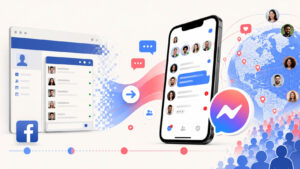
Your customers are on Messenger, Instagram and WhatsApp, so that is where you should be. A chatbot deployed on those channels answers where the conversation is already happening, without sending the user somewhere else.
Reviews & feedback collection
Satisfaction · Retention
After a purchase or an interaction, the chatbot asks for a review, measures satisfaction and steers unhappy customers toward a fix before they go public with it.
You do not have to cover everything at once. Pick one use case that costs you time today (usually support or order tracking), prove the value, then expand.
Business side, customer side: who gains from a chatbot?
A good chatbot creates value on both sides at the same time. That double payoff is what turns it into a profitable investment rather than just another cost.
For the business
- Lower support costs
- Availability without hiring
- More qualified leads
- Teams freed from repetitive tasks
- Customer data you can act on
- Capacity to absorb activity spikes
For the customer
- An instant answer, 24/7
- No queue at all
- A simple, guided path
- Contact on their preferred channel
- Consistent service, never moody
- Self-service for simple requests
| Benefit | What it changes for the business | What it changes for the customer |
|---|---|---|
| 24/7 availability | Serving after hours without hiring | An answer even at 11 p.m. |
| Speed | Fewer drop-offs and lost sales | No wait, satisfaction right away |
| Automation | Up to 30% less spent on support | Simple cases solved on their own |
| Lead qualification | Better-targeted prospects | Guidance that fits the need |
| Omnichannel | One unified presence | Contact from their usual app |
The limits & drawbacks to know about
Let’s be honest: a chatbot is not magic. Badly designed, it irritates more than it helps. Knowing its limits is precisely the best way to get yours right.
The worst chatbot is the one that traps the user in a loop and never offers a human. A way out to a real advisor has to exist at every step.
- Imperfect understanding. Faced with ambiguous or very specific phrasing, the bot can get it wrong. Careful setup and a handoff to a human keep the damage down.
- No real empathy. On sensitive topics (complaints, disputes), nothing replaces a human conversation. The bot has to know when to step aside.
- Design & maintenance. A chatbot has to be fed, tested and improved. A bot that is launched then forgotten degrades fast.
- A “robotic” feel when it is done badly. Off-topic or overly rigid answers make the experience frustrating. The quality of the conversation flow decides everything.
- Data & privacy. Conversations mean personal data: GDPR compliance and transparency are non-negotiable.
The good news: every one of these pitfalls can be avoided with one simple rule, start small, craft your conversation flows carefully and keep a human in the loop.
Do you really need a chatbot?
Tick the situations that match your business. The result updates live and gives you a clear read, with no commitment.
Quick test: is a chatbot right for you?
8 questions, 20 seconds.
Tick the boxes above to find out whether a chatbot makes sense for you.
How to create a chatbot (without coding)
Good news: you no longer need to be a developer. No-code platforms let you build a chatbot by drag and drop, then publish it on your site and your messaging apps in a few minutes.

- Set one clear goalAnswering support requests, generating leads, booking appointments: pick a single priority to start with.
- List your most frequent questionsStart from real exchanges (emails, tickets, FAQ) so the bot is fed with what actually matters.
- Build the conversation flowChain messages, questions and buttons. Add AI so it understands free-form phrasing.
- Plan the human handoffDecide when and how the bot passes the conversation to an advisor.
- Publish on your channelsWebsite, WhatsApp, Messenger, Instagram: put the bot where your customers already are.
- Measure and improveReview the conversations, spot where people get stuck and refine on a regular basis.
Plenty of tools offer a free plan to get started. You can test a first conversation flow with no budget; see the available plans when it is time to scale up.
FAQ: your questions about chatbots
What is the point of a chatbot?
Giving an instant answer available 24/7, automating repetitive requests, capturing leads and cutting customer service costs, all while improving the experience for users, who get what they need without waiting.
What is the main purpose of a chatbot?
Understanding a request expressed in natural language and delivering the right answer or the right action: informing, guiding, qualifying a prospect, booking an appointment, or handing off to a human when that is what the situation calls for.
What is the difference between a chat and a chatbot?
A “chat” (live chat) connects you with a real person in real time. A chatbot answers automatically, with no human involved. The two are complementary: the bot handles the volume, the human takes over on the complex cases.
What are the disadvantages of chatbots?
Imperfect understanding of very specific requests, a lack of empathy on sensitive topics, and a real need for careful design and maintenance. Those limits stay manageable as long as you always leave a path to a human advisor.
Can a chatbot replace a human?
No, and that is not the goal. It takes on the simple, repetitive requests so teams can focus on high-value conversations. The best setup pairs bot and human.
How much does it cost to create a chatbot?
It runs from free (entry-level plans for simple use) to a few dozen euros a month depending on conversation volume and channels. With a no-code platform, the main investment is still the time you spend designing the flows properly. If you would rather have it built for you, Botnation’s Enterprise plan covers custom chatbot creation and is quoted case by case.
Ready to create your chatbot?
Build an AI conversational agent for your website, WhatsApp and social channels, without writing a single line of code. Get started for free with Botnation.
Sources: Juniper Research ($11B a year in savings); IBM (customer service costs); State of Chatbots report (Drift); Glassix 2024 study (conversion rate).